

Agent Suite Overview
Understand how RiskOS™ agents review work before human investigation and how you configure them once for use across workflows and monitoring.
What is Agent Suite?
Agent Suite is where you create and manage AI agents for your RiskOS™ account. An agent reviews work before human investigation, such as Watchlist alerts, and provides a recommendation with confidence, reasoning, and supporting evidence.
Your team sets the policies each agent follows. Agents can close eligible alerts automatically when you turn on Auto-close. Match recommendations always go to human review.
Open Agent Suite
In the RiskOS™ Dashboard, select Agent Suite in the navigation. Agents are grouped by type, such as Watchlist Screening and Watchlist Monitoring. Each card shows the agent’s main settings and how many workflows or use cases use it.
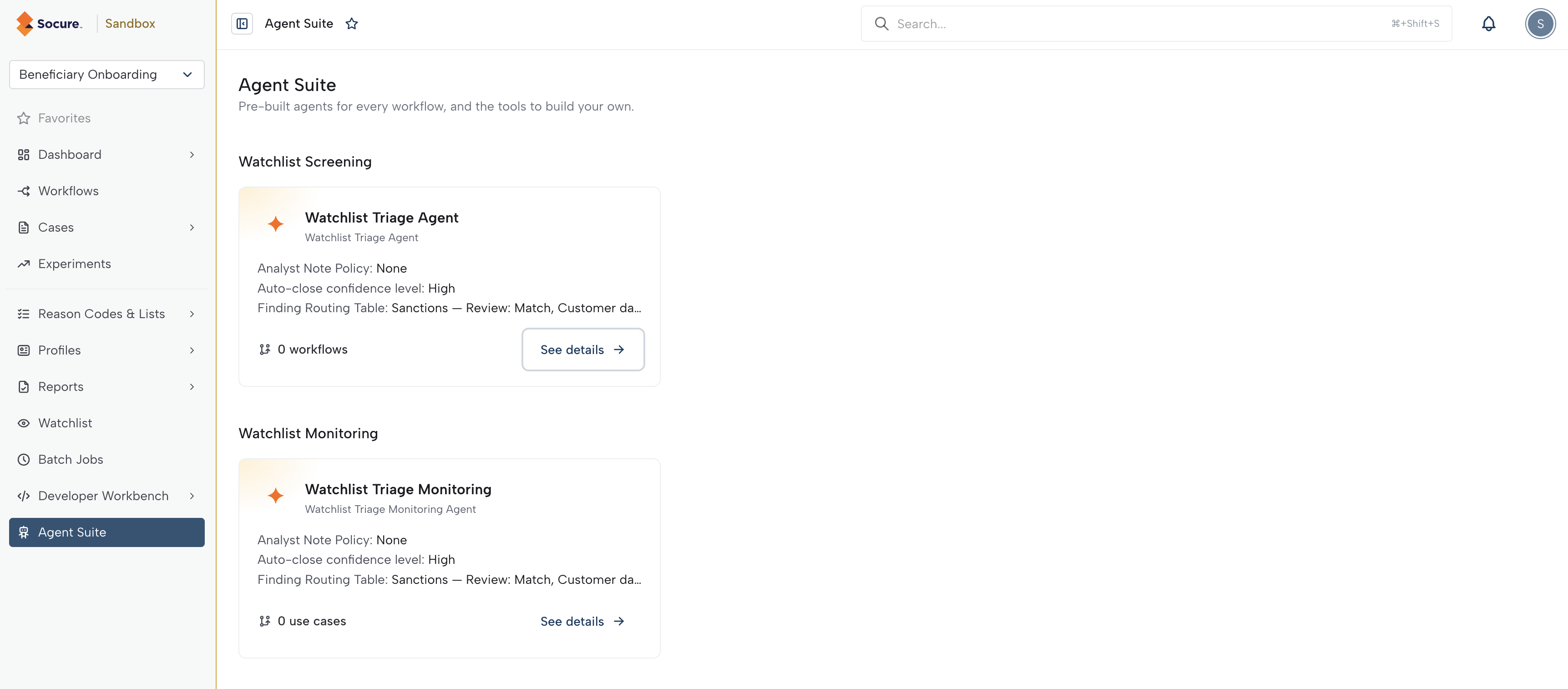
Agent Suite appears in the navigation only when RiskOS™ Agents is enabled for your account and your role has view permission. Ask your account administrator or Socure account team if access is unavailable.
How agents work
- Account-level configurations: Each agent is a named configuration. Its settings are managed at the account level and apply everywhere the agent is used. To give a workflow or use case independent settings, duplicate the agent and use the copy there.
- Workflows: Add an agent to a workflow’s Manual Review step with Automate with an agent. Only one agent of each type can run on a step.
- Monitoring: Assign an agent to monitoring use cases. One agent can serve multiple use cases.
- Auto-close: Turn Auto-close on or off for each workflow step or monitoring use case. Only eligible No Match alerts can close automatically. With Auto-close off, the agent still provides recommendations and all alerts go to human review.
- Activity records: Case History records agent reviews and outcomes, and Settings → Audit Logs records configuration changes. You can also receive agent results by webhook.
Available agents
| Agent | Configurations | Description |
|---|---|---|
| Watchlist_Triage | Screening and monitoring | Reviews Watchlist alerts across Sanctions, Politically Exposed Persons (PEP), Adverse Media, and Enforcement before human investigation, with optional automatic closure of eligible No Match alerts based on policies your team sets. |
Permissions
| Permission | What it allows |
|---|---|
| View | Open Agent Suite and see agent configurations. |
| Create | Create agent configurations, including duplicates. |
| Modify | Change and rename agent configurations. |
| Delete | Archive and unarchive agent configurations. |
Without modify permission, agent configurations are view only. Adding an agent to a workflow also requires Workflow editor permission.
Related
Updated 1 day ago