

Input Step
Define the data schema for RiskOS™ workflow evaluations using the Input step, the required starting point of every workflow.
The Input step is the starting point of every workflow. It defines the data accepted when an evaluation is initiated and makes that data available to all subsequent steps in the workflow.
flowchart LR
    A[Input] --> B[Enrichment] --> C[Condition] --> D[Decision]
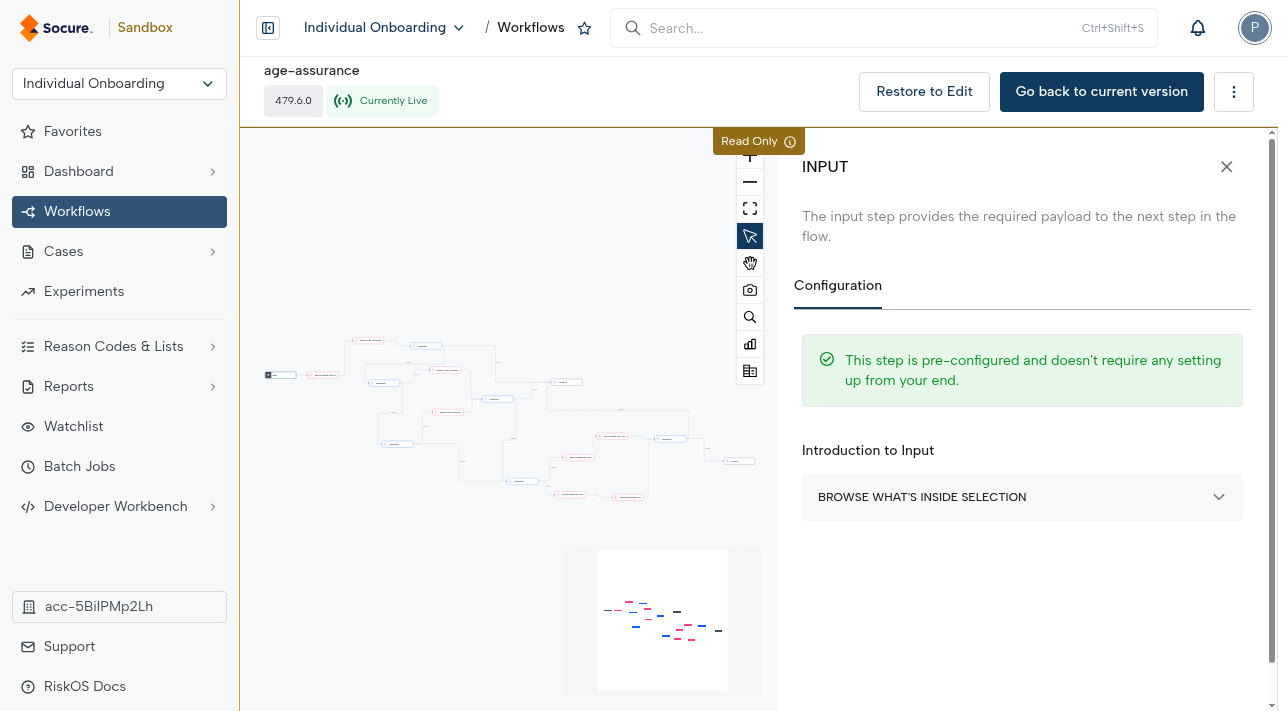
The Input step is pre-configured and locked — you don't set it up. Select it on the canvas to review the payload it exposes, then reference those fields in downstream steps.
Key properties
- Required: Every workflow must include exactly one Input step.
- Position: It must always be the first step in the workflow.
- Immutable: Once added, the Input step cannot be duplicated or removed. It is locked in the Workflow Builder to prevent errors.
Customization
- You can rename the Input step for clarity:
- Select the Input step on the canvas.
- Edit the label field at the top of the side panel.
Data handling
- The Input step exposes the incoming payload fields to downstream steps.
- These fields can then be used by:
- Enrichment steps (to fetch external signals)
- Tag steps (to add tags to the output)
- Condition steps (to apply logic)
- Transformation steps (to reformat data)
- Decision steps (to determine workflow outcomes)
Payload requirements
The exact input fields required depend on the use case (e.g., onboarding, payments, or account takeover prevention).
- For a complete list of required and optional fields, see the API Reference.
Updated about 1 month ago
Did this page help you?