

Local Graph Signals
Add Local Graph Signals to your RiskOS™ workflows to flag events that are part of a larger fraud pattern within your ecosystem.
Local Graph Signals are real-time risk signals generated from activity across your ecosystem. Signals can be generated for users, devices, emails, phone numbers, IP addresses, national IDs, or other identity elements over configurable time windows, so you can detect fraud patterns that individual events cannot reveal.
Examples of patterns Local Graph Signals surface:
- Coordinated activity: Multiple applications originating from the same device within the last hour, or a sudden spike in activity from a new location.
- Hidden relationships: Fraud rings that rotate obvious identifiers but continue to share infrastructure such as phone carriers, IP prefixes, email domains, or locations.
- Behavioral anomalies: A login from a previously unseen device or location, or impossible travel between consecutive events.
- Reuse after rejection: A previously rejected device or identity element reappearing shortly after a declined application with slight variations in associated identifiers.
Where Local Graph Signals are used
- Workflow rules: Use signals directly in the RiskOS™ Workflow Builder to block, step up, or review suspicious activity in real time.
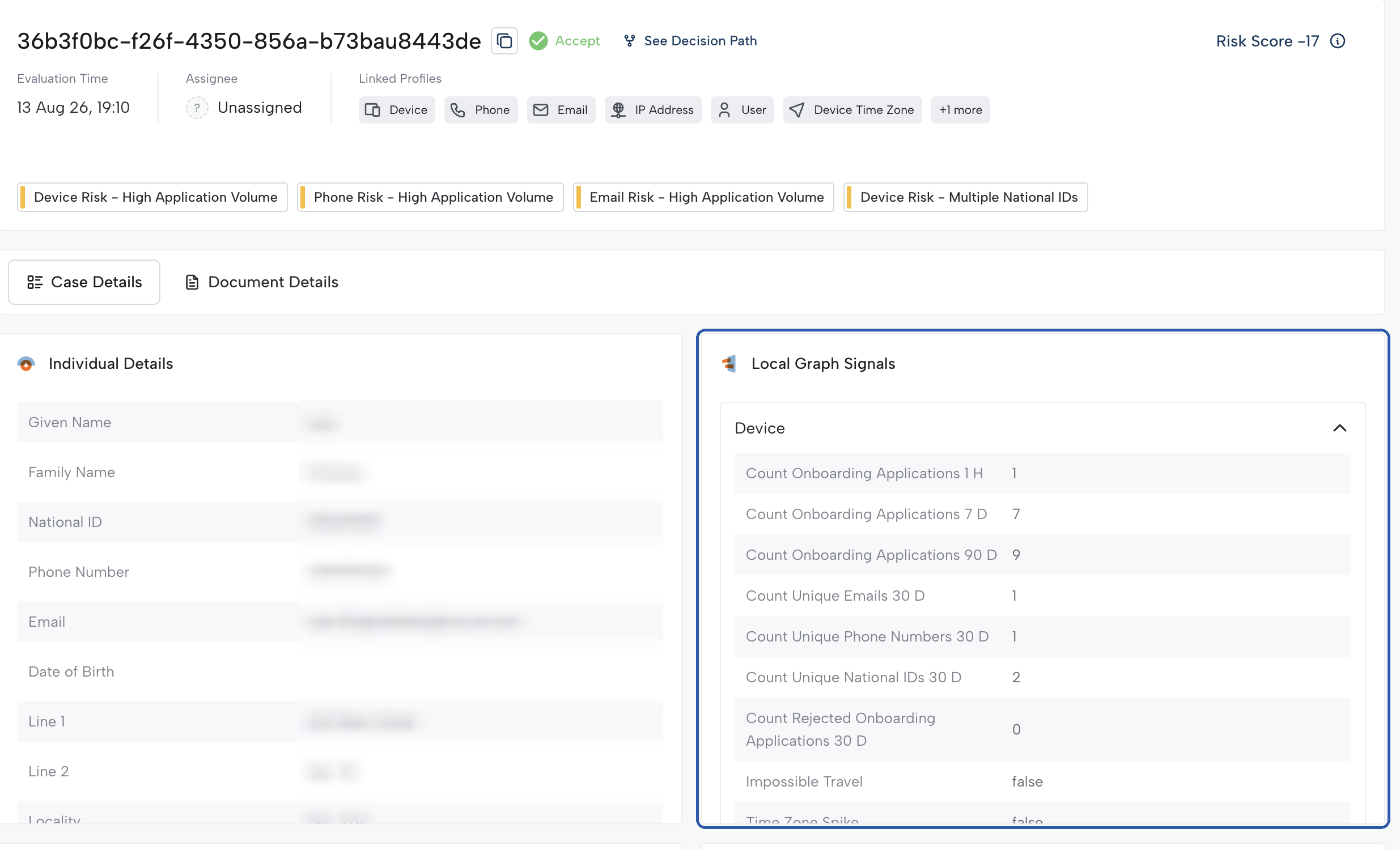
- Case View: The Local Graph Signals tile shows signals for the entities in a case, giving immediate visibility into anomalous behavior.
Building blocks of a Local Graph Signal
Each Local Graph Signal consists of:
- Entity: The user or identity element the signal is calculated for, such as a device, email, phone number, IP address, or a custom entity.
- Function: The calculation applied to the entity's activity, such as Count, Sum, or Last Seen.
- Field: The value the function is applied to, such as email address, application ID, or transaction amount.
- Time window: How far back the signal looks at the entity's activity, chosen from a set of standard windows ranging from minutes to days, or Lifetime.
- Conditions (optional): Filters that limit the signal to specific activity, such as only rejected applications or only login events.
For example, the signal "rejected onboarding applications from a device in the last 30 days" uses the entity device, the function Count, a 30-day time window, and the condition that the application was rejected.
Updated about 3 hours ago