

Assign a Case
Assign, reassign, or unassign cases to reviewers in RiskOS™ Case Management to enable collaborative fraud investigation.
Before a decision can be made on a case, it must be assigned to a user. To assign a case:
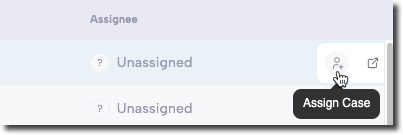
- Hover over the case.
- Click Assign Case under the Assignee column.
- In the Search field, enter the user’s name and select them from the list.
- Once assigned, the user’s name appears in the Assignee column.
All users on the RiskOS™ Dashboard can see case assignments, ensuring transparency and collaboration.
Unassign a case
To unassign a case, hover over the case and click Unassign under the Assignee column.
Assign multiple cases
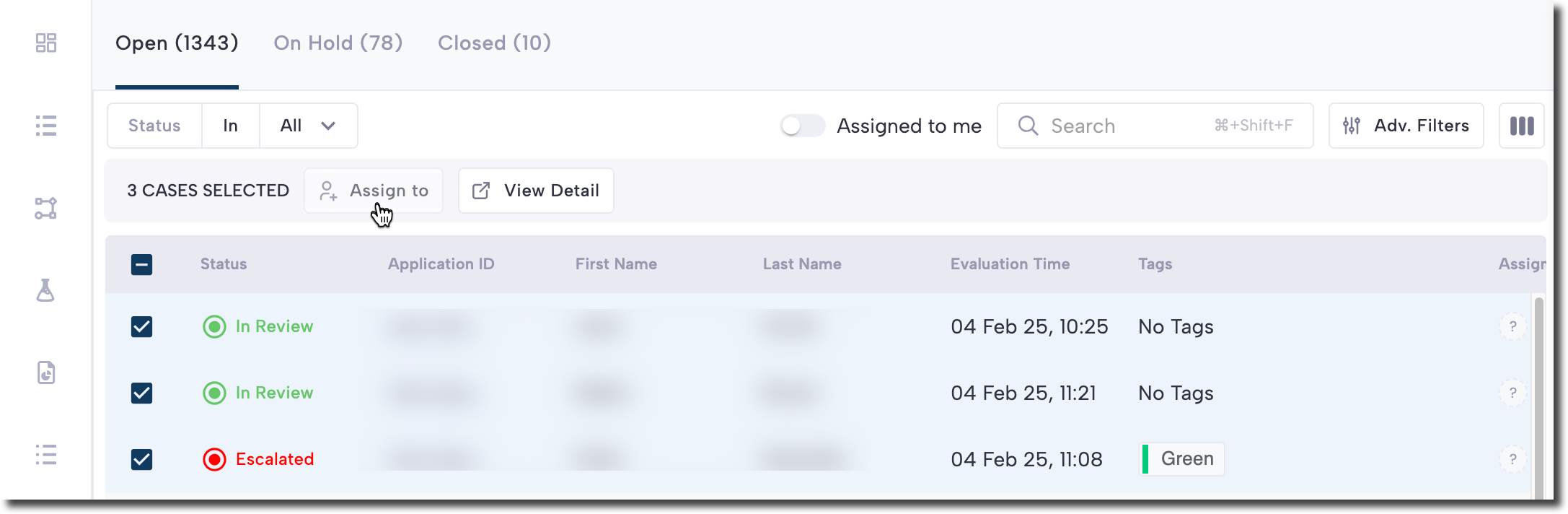
- Select the cases using the checkboxes.
- Click Assign to.
- In the Search field, enter the user’s name and select them from the list.
Updated 6 months ago
Did this page help you?