

Transformation Step
Manipulate and derive new data fields in RiskOS™ workflows using stateless Transformation functions like CONCAT, SPLIT, and more.
The Transformation step in RiskOS™ lets you manipulate data within a workflow using a set of predefined, stateless functions. Transformations do not maintain state; they operate only on the data provided as inputs at the time of execution.
For example, you can use the CONCAT function to combine firstName and surName into a single fullName variable. That new variable becomes immediately available to downstream steps, simplifying logic and reducing duplication.
How transformations work
Each transformation is a predefined, stateless operation: given the same inputs, it always produces the same output, and it keeps no memory between runs. A Transformation step has three parts:
- Inputs — You supply each input as either a Value (a static string or number) or a Variable (a payload field or the output of an earlier step). The step passes inputs to the function in the order listed for that function, so order matters.
- Output — The function returns a single typed value: a string, number, Boolean, array, or — for pass-through functions such as
COPY— any type. RiskOS™ stores that value in the output field you name, which downstream steps reference as$outputFieldName. - Type handling — In general, if an input is missing or is not the type a function expects, the function returns a safe default rather than failing the workflow: string functions return an empty string, numeric functions return
0, and Boolean functions returnfalse.
Placement in a workflow
- A Transformation step can be placed anywhere in a workflow, depending on your logic.
- Common patterns include:
- Right after the Input step to normalize incoming data.
- Before a Condition step to prepare data for evaluation.
- After an Enrichment step to parse out specific data.
flowchart LR
    A[Input] --> B[Transformation: normalize data]
    B --> C[Condition] --> D[Decision]
Configure a Transformation step
-
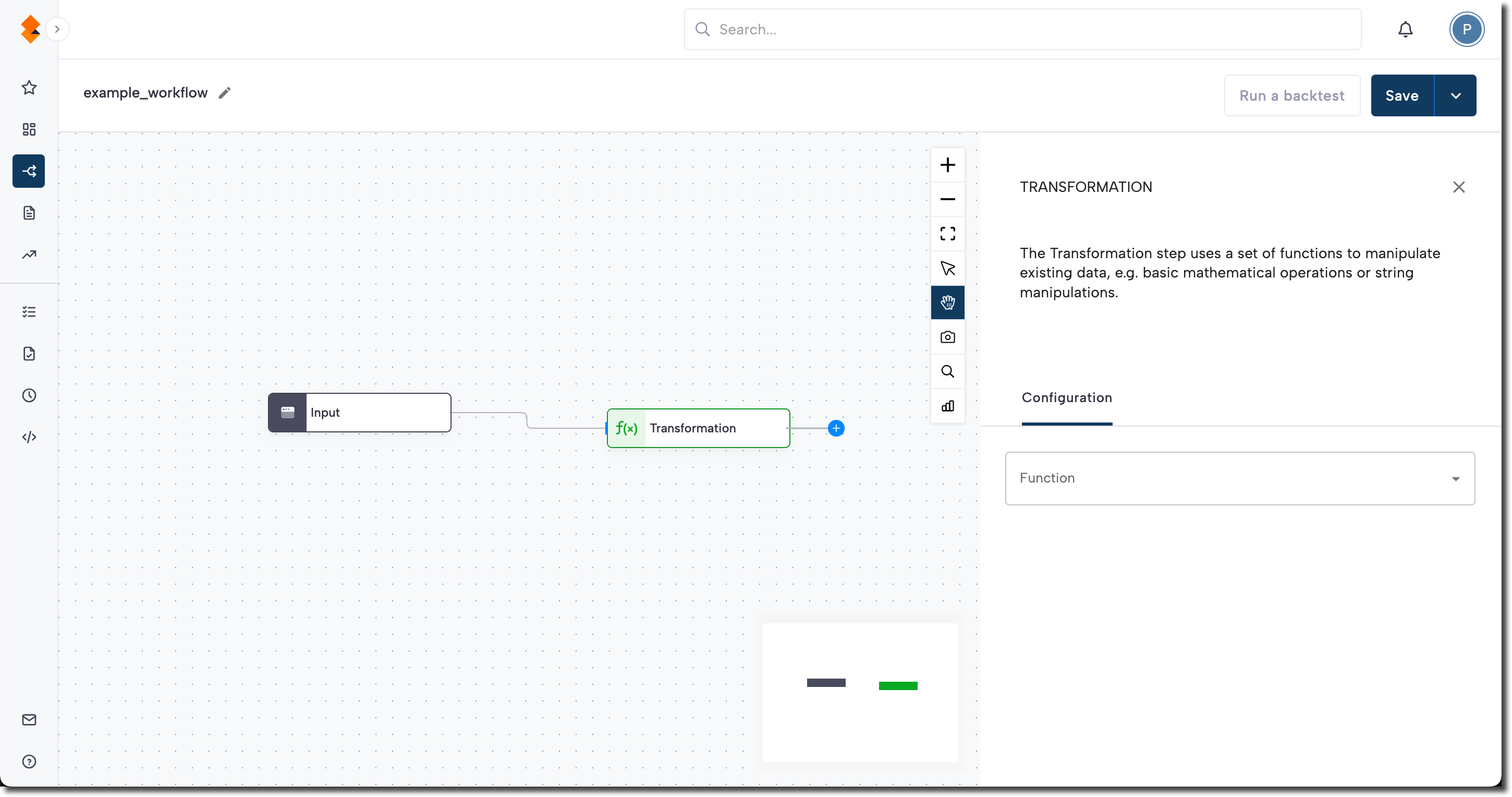
Add the Transformation step to your workflow, then click the step to open the side panel.
-
Select a Function from the dropdown (see the Available functions section).
- Provide input parameters for the function:
- Value: For static values (e.g., strings, numbers).
- Variable: For dynamic inputs, such as payload fields or outputs from prior steps.
- Specify the output field name.
- The function’s result is stored in this field.
- Use it later with
$[output_field_name]. - Example: If you name the output field
fullName, reference it downstream as$fullName.
Note:
You can customize the Transformation step’s label by editing the text field at the top of the side panel.
Available functions
Note:
This catalog lists supported stateless functions. Check release notes regularly to confirm the latest set of functions available in your environment.
Each row lists a function's inputs, output type, how it works, and a worked example (shown as inputs → output).
String functions
| Transformation | Input | Output | How it works | Example |
|---|---|---|---|---|
STARTSWITH | String + substring | Boolean | Returns true if the string begins with the substring. Leading whitespace in the string is ignored. | "hello world", "hello" → true |
ENDSWITH | String + substring | Boolean | Returns true if the string ends with the substring. Trailing whitespace is ignored. | "hello world", "world" → true |
LENGTH | String | Numeric | Returns the number of characters in the string. | "Socure" → 6 |
CONTAINS | String + substring | Boolean | Returns true if the substring appears anywhere in the string. | "Socure", "cur" → true |
TO_LOWER_CASE | String | String | Converts every character in the string to lowercase. | "SOCURE" → "socure" |
CONCAT | Multiple strings | String | Joins the input strings, in order, into a single string. | "123 ", "Main St" → "123 Main St" |
SPLIT | String + separator | Array | Splits the string into an array of substrings wherever the separator occurs. | "a,b,c", "," → ["a", "b", "c"] |
FIRST_N | String + numeric value | String | Returns the first n characters of the string. | "Socure", 3 → "Soc" |
REVERSE | String | String | Returns the string with its characters in reverse order. | "abc" → "cba" |
JARO_WINKLER_DISTANCE | Two strings | Numeric | Returns a similarity score from 0 (no similarity) to 1 (identical) using the Jaro-Winkler algorithm. Does not normalize the inputs, so case and word order affect the score. | "martha", "marhta" → score close to 1 |
SIAMESE_JARO_WINKLER_DISTANCE | Two strings | Numeric | Same 0–1 Jaro-Winkler score, tuned for names. Normalizes the inputs, splits them into tokens, and sorts the tokens alphabetically before comparing, so word order does not matter. | "Ryan Reisling", "Reisling Ryan" → score close to 1 |
SUBSTRING | String + start + end positions | String | Returns the portion of the string between the start position (inclusive) and the end position (exclusive). Positions are zero-based. | "Socure", 0, 3 → "Soc" |
Numerical functions
| Transformation | Input | Output | How it works | Example |
|---|---|---|---|---|
DIVISION | Two numbers | Numeric | Divides the first number by the second and returns the quotient. Returns 0 if the divisor is 0. | 10, 2 → 5 |
MULTIPLICATION | Two numbers | Numeric | Returns the product of the two numbers. | 2, 3 → 6 |
SUM | One or more numbers | Numeric | Returns the total of the input numbers. | 2, 3 → 5 |
MODULUS | Two numbers | Numeric | Divides the first number by the second and returns the remainder. | 10, 3 → 1 |
SUBTRACT | Two numbers | Numeric | Subtracts the second number from the first and returns the difference. | 10, 3 → 7 |
RANDOM_NUMBER | Min + max values | Numeric | Returns a random number between the minimum and maximum values. | 1, 10 → for example 7 |
Array functions
| Transformation | Input | Output | How it works | Example |
|---|---|---|---|---|
IS_IN_ARRAY_ANY | String(s) + array | Boolean | Returns true if at least one of the input values is present in the array. | "b", ["a", "b", "c"] → true |
IS_IN_ARRAY_ALL | String(s) + array | Boolean | Returns true only if every input value is present in the array. | "a", "d", ["a", "b", "c"] → false |
JOIN | Array | String | Joins the array elements into a single space-separated string. | ["John", "Smith"] → "John Smith" |
ARRAY_LENGTH | Array | Numeric | Returns the number of elements in the array. | ["a", "b", "c"] → 3 |
COUNT_DISTINCT | Array | Numeric | Returns the number of unique elements in the array. | [1, 1, 2] → 2 |
Date functions
| Transformation | Input | Output | How it works | Example |
|---|---|---|---|---|
DATE_DIFF_IN_DAYS | Two dates (ISO) or date + “today” | Numeric | Returns the number of whole days between the two dates. Pass "today" as the second value to compare against the current date. | "2026-01-01", "2026-01-31" → 30 |
CALCULATE_AGE | Date of birth (ISO) | Numeric | Returns the age in whole years from the date of birth to today. | "1990-06-15" → age in years |
TIME_DIFF_IN_SECS | Two timestamps (ISO) | Numeric | Returns the number of seconds between the two timestamps. | "2026-01-01T00:00:00Z", "2026-01-01T00:01:00Z" → 60 |
Date functions expect ISO 8601 dates (YYYY-MM-DD). A compact YYYYMMDD value such as "19900615" is not a valid ISO date, so CALCULATE_AGE cannot parse it and does not return a valid age. To convert a YYYYMMDD value inside the workflow, split it with SUBSTRING and rejoin it with CONCAT before calling CALCULATE_AGE: SUBSTRING($dob, 0, 4), SUBSTRING($dob, 4, 6), and SUBSTRING($dob, 6, 8) return the year, month, and day, then CONCAT($year, "-", $month, "-", $day) produces "1990-06-15".
Special functions
| Transformation | Input | Output | How it works | Example |
|---|---|---|---|---|
GEO_DISTANCE_LAT_LONG | Two lat/long coordinate pairs | Numeric | Returns the distance in km between two latitude/longitude coordinate pairs. | two coordinate pairs → distance in km |
EXTRACT_EMAIL_HANDLE | Email address | String | Returns the domain portion of the address (everything after @). | "[email protected]" → "example.com" |
EXTRACT_EMAIL_USER | Email address | String | Returns the local portion of the address (everything before @). | "[email protected]" → "jane" |
IS_NULL | Any | Boolean | Returns true if the value is null or absent. | null → true |
COPY | Any | Any | Copies the input value unchanged into the output field. | "abc" → "abc" |
DECLARE_CUSTOM_VARIABLE | Any | Any | Stores a value in a named variable so later steps can reuse it (for example, as input to another step). | "US" → "US" (stored as a variable) |
INSPECT_VALUE | Any | Any | Returns a variable's value together with its detected type. Use it to debug what a variable holds at a point in the workflow. | inspects a variable's value and type |
Best practices
- Place transformations where they add clarity or efficiency — e.g., normalize data early, simplify condition checks, or prep values before decisions.
- Use clear names for output fields so they’re self-explanatory in downstream steps.
- Validate transformation results with test payloads to avoid logic errors.
Updated about 2 months ago