

API and SDK Keys
Manage your RiskOS™ API and SDK keys in the Developer Workbench, including key rotation, access controls, and authentication setup.
This page covers managing your keys in the Dashboard. For how to authenticate API requests (Bearer headers, environment-specific keys, IP allowlists, and 401/403 troubleshooting), see the canonical Authenticate API Requests page.
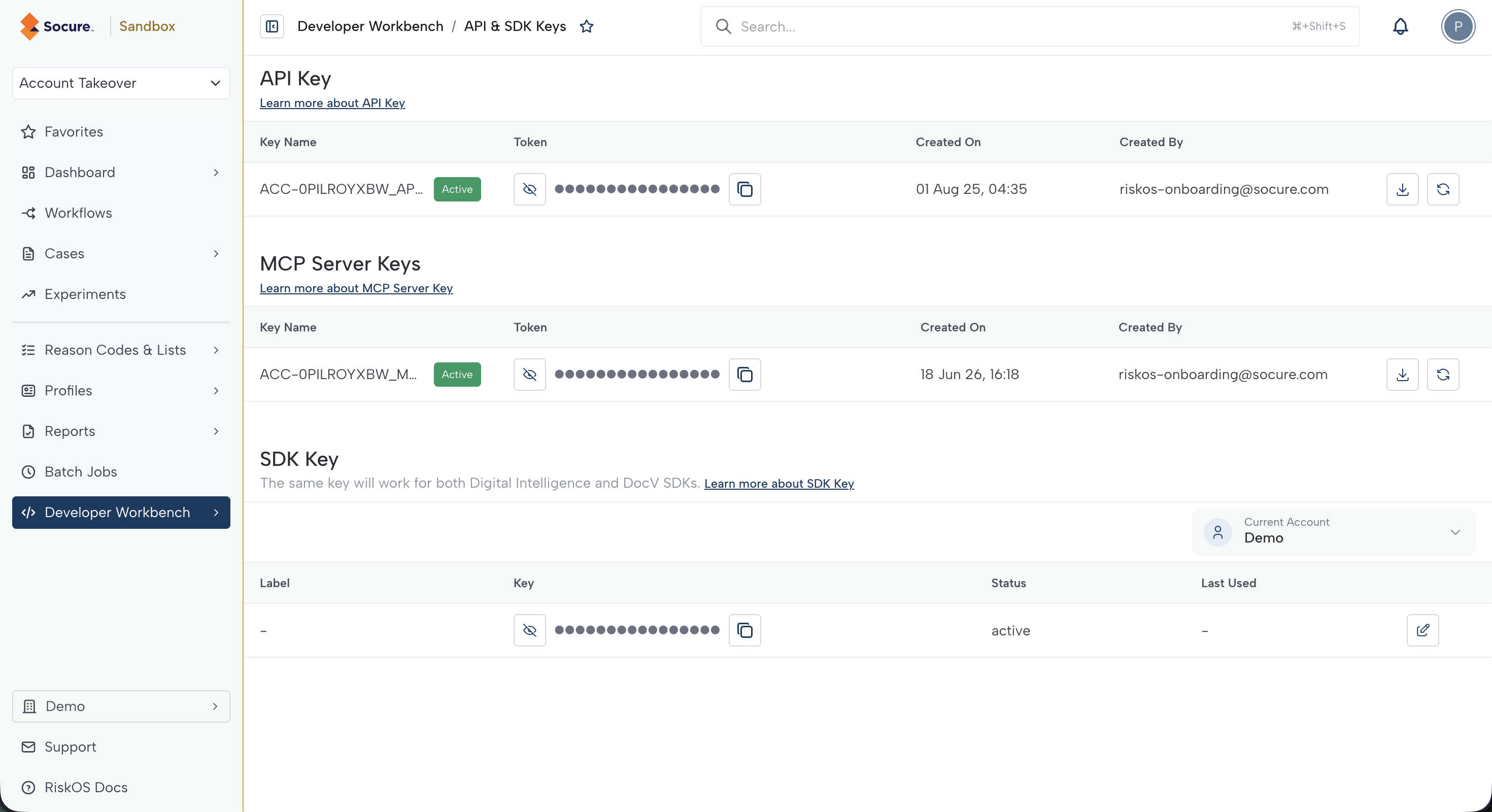
Manage your account's API and SDK keys on the API & SDK Keys page of the Developer Workbench in the RiskOS™ Dashboard. Your API keys and SDK keys appear together on this page.
Note:
RiskOS™ supports multiple API keys for rotation. Each key has access to all workflows. To create a new key, contact Socure Support.
API keys
RiskOS™ authenticates API requests with Bearer tokens. The API Keys table lists each key with its Key Name and status (Active, Deprecated, or Expired), a masked Token, the Created On date, and the Created By user.
Actions
- Show or hide a token: Click the eye icon to reveal or mask the token.
- Copy a token: Click the Copy token icon.
- Download a token: Click the Download icon to save the token as a text file.
- Regenerate a key (security rotation): Click the Regenerate icon on an Active key. This icon is disabled while a Deprecated key exists. Delete the deprecated key first.
- Delete a key: Click the Delete icon on a Deprecated key.
Important note on regeneration:
When you regenerate a key, RiskOS™ instantly creates a new Active key and marks the current key as Deprecated. Both the new Active key and the Deprecated key function until you explicitly delete the deprecated key. This allows for a zero-downtime rotation.
MCP keys
RiskOS™ uses an MCP Server Key to authenticate to the RiskOS™ MCP Server, which connects AI development tools such as Cursor and Claude Code to your account. The MCP Keys table uses the same Key Name, status, Token, Created On, and Created By columns as the API keys table.
If you have no MCP keys yet, click Generate MCP Key to create one. Each MCP key supports the same show, copy, download, regenerate, and delete actions as an API key.
For client setup and configuration, see Integrate using Cursor / Claude Code (MCP Server).
SDK keys
RiskOS™ uses a single SDK key to initialize both the Digital Intelligence and Predictive Document Verification SDKs. The SDK Keys table shows each key's Label, a masked Key, its Status, and the Last Used date.
Actions
- Show or hide a key: Click the eye icon to reveal or mask the key.
- Copy a key: Click the Copy key icon.
- Edit a label: Click the Edit label icon to open the Edit SDK Key Label dialog, then enter an optional label to identify the key.
Okta keys
RiskOS™ uses an Okta Key — a Client ID and Client Secret scoped to one or more of your workflows — to authenticate Okta's Custom Identity Verification (IDV) flow, which routes Okta users through a Socure verification flow. You create and manage Okta Keys on the API & SDK Keys page in the RiskOS™ Dashboard.
Socure displays the Client Secret only when you create the key. Copy it, store it securely, and treat it like a password. If you lose it, delete the Okta Key and create a new one.
For the full setup, see Configure Okta with Socure Custom IDV.
Next steps
Now that you have your credentials, continue your integration:
- Integrating with RiskOS™ — send your first evaluation request, handle the response, and validate your integration end to end.
- Sandbox and Production environments — confirm which environment your keys target before you send live requests.
- Integration guides — production-ready guides for onboarding, fraud prevention, and other use cases.
- Webhooks — receive real-time results for asynchronous evaluations.
Updated about 2 months ago