

Decision Step
Configure the Decision step to finalize RiskOS™ workflow evaluations with Accept, Review, or Reject outcomes returned in the API response.
The Decision step finalizes a workflow by applying an automated outcome. It lets you configure evaluation criteria, assign notes or tags, and (optionally) assign reason codes.
When a workflow reaches a Decision step, execution ends and the final result is returned to the customer.
In the API response, the decision you configure here is included in the decision field of the evaluation response schema.
Possible outcomes
The following standardized decision outcomes are supported:
- Accept: The evaluation is approved; proceed with fulfillment/onboarding and the happy‑path experience.
- Review: Additional assessment is required; route to manual review and/or configured step‑up checks per workflow logic.
- Reject: The evaluation has failed the required checks and the entity is rejected from the process.
If you want the outcome to require manual review, use the Manual Review step instead of a Decision.
flowchart LR
    A{Condition} -->|True| B[Decision: Accept]
    A -->|False| C[Decision: Reject]
Note:
Accept, Review, and Reject are the default decision values. Your integration can be customized to use different default decision values based on specific workflow needs.
Configure a Decision step
- Select the Decision step in the workflow canvas to open the side panel.
- Choose a decision outcome from the available options for your use case.
- (Optional) Add a note to provide context. Notes appear in the case details and API response.
- (Optional) Assign a tag for categorization and downstream analysis.
- (Optional) Assign reason codes if you want to provide structured explanations for downstream systems.
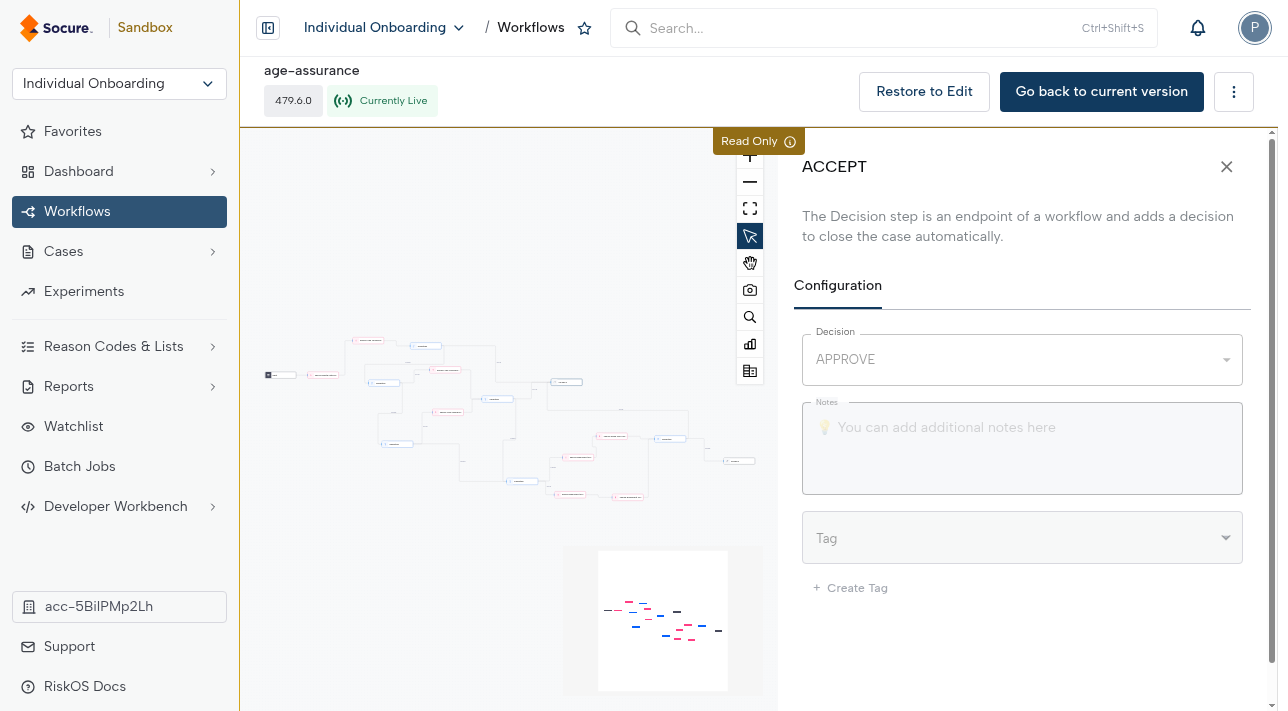
Note:
- You can customize the Decision step’s label by editing the text field at the top of the side panel.
- Every workflow must end with either a Decision or a Manual Review step.
- A Decision step can appear on any path of a workflow (not just True/False branches). For example, a workflow may simply end with a single Accept or Reject step without conditions.
Best practices
- Keep logic simple: Push complexity into upstream conditions and use the Decision step only for the final action.
- Use notes, tags, and reason codes: Add context for reviewers and downstream systems to understand the rationale behind a decision.
- Validate mappings: Confirm that decisions map correctly into your API response handling, especially if integrating with downstream systems.
Updated about 2 months ago