

Add Entries to Allow/Deny List
Add case attributes such as email, phone, SSN, or address to allow or deny lists from the RiskOS™ Single Case View.
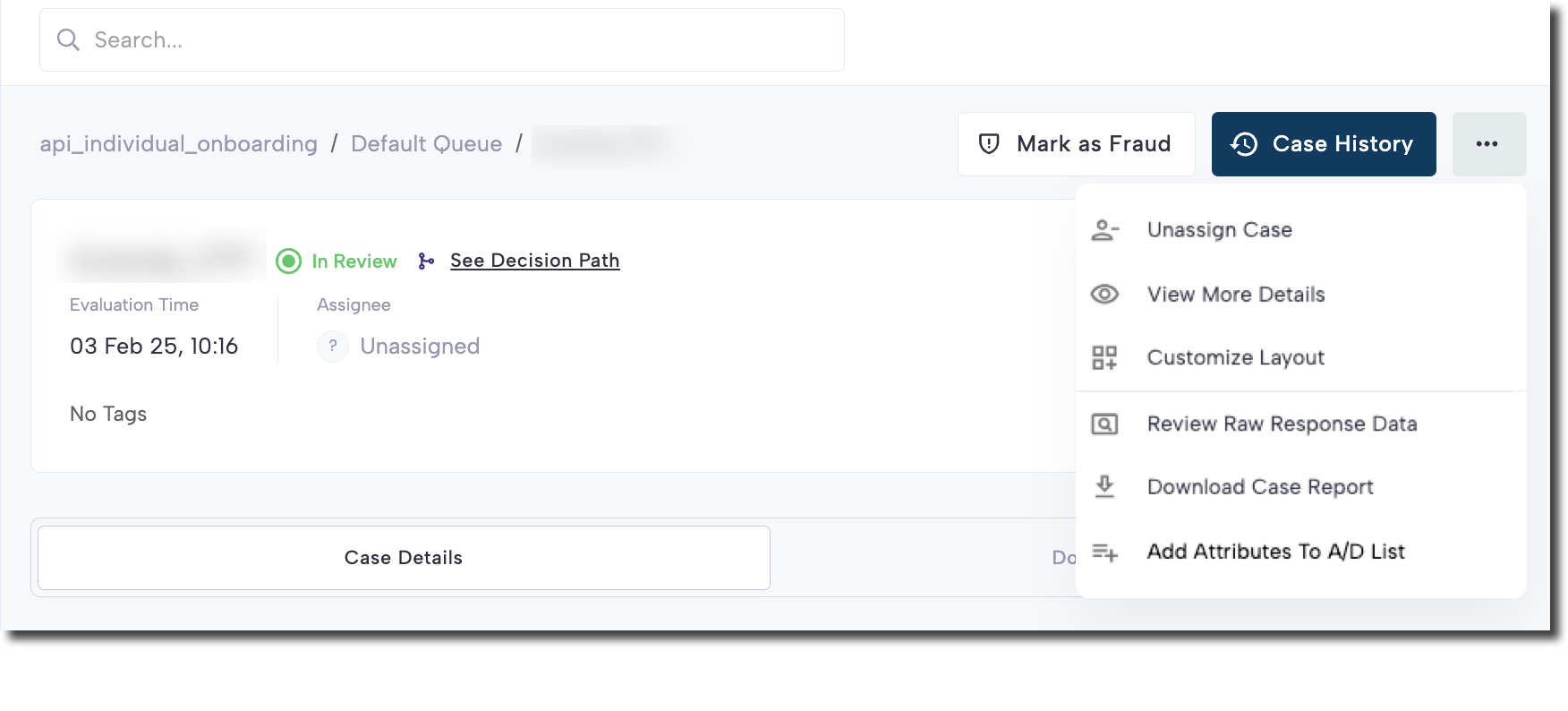
From the three-dot menu in the upper-right corner of the Case View, select Add Attributes to A/D List.
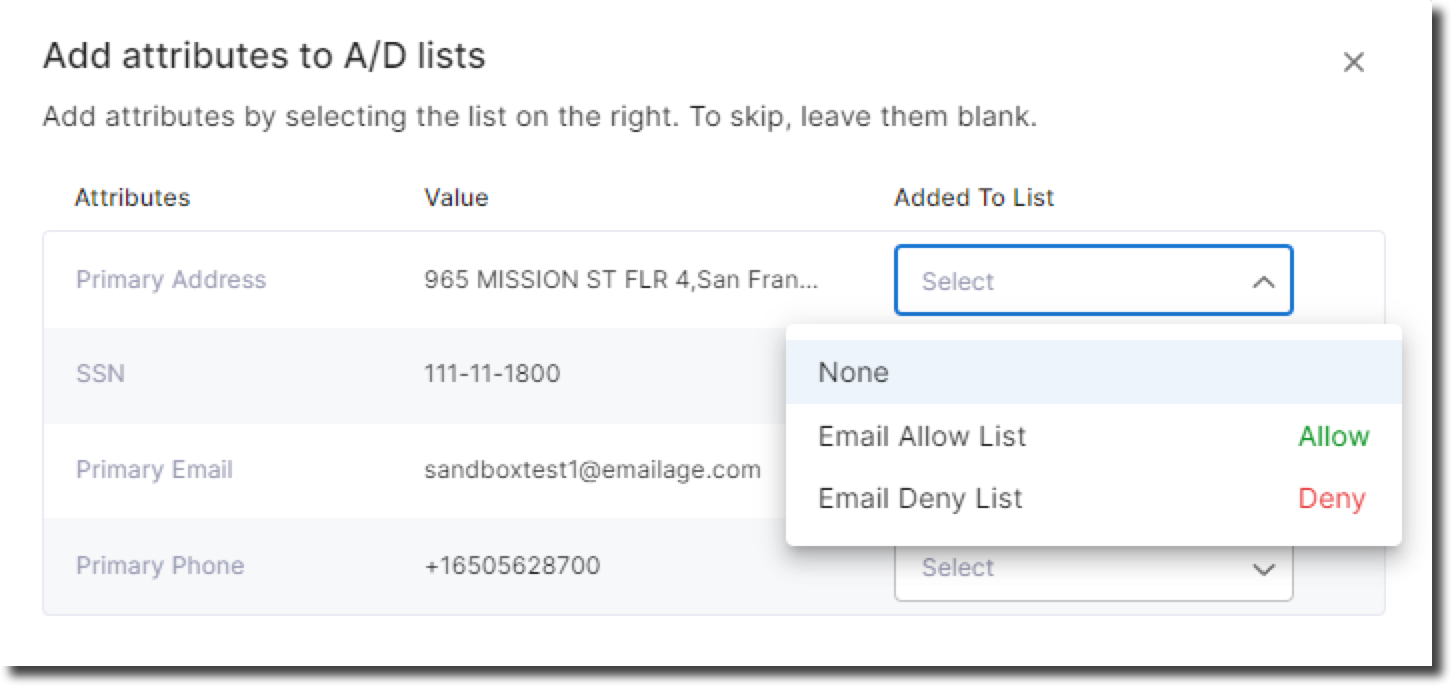
This view shows four key attributes from the application:
- Primary Address
- SSN (Social Security Number)
- Primary Email
- Primary Phone
Each attribute displays its current value and includes a dropdown to choose whether to add it to the Allow List or Deny List.
Updated 5 months ago
Did this page help you?