

Reset Your Password
Regain access to RiskOS™ using magic link authentication or reset your password through the platform login page step by step.
Magic link is an authentication method that allows you to access RiskOS™ without requiring a password.
Follow these steps to initiate a magic link:
-
On the RiskOS™ login page, enter your email address and click Continue.
-
On the next page (shown below), check the I'm not a robot box, then click Send Magic Link.
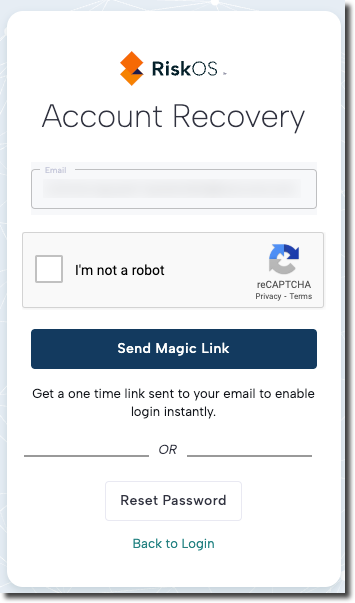
- Check your email inbox for a password reset email from RiskOS™. Click Log In to Socure in the email to access the platform.
Note: The token-embedded link expires after 10 minutes and can be used up to three times.
It must be clicked on the same device and browser that was used to request the magic link.
You can reset your password by following these steps:
- On the RiskOS™ login page, enter your email address and click Continue.
-
On the next page, check the I'm not a robot box, then click Reset Password.
-
Check your email inbox for a password reset email from RiskOS™. Click the Reset Password link in the email.
-
On the password reset page (shown below), enter your new password and click Submit.
Updated about 2 months ago