

Run Manual Evaluations
Run identity verification evaluations directly in the RiskOS™ dashboard without API integration for testing and troubleshooting.
Note:
This feature must be enabled for your account. Contact your Account Manager or Socure Support for more information.
Create a Manual Evaluation
-
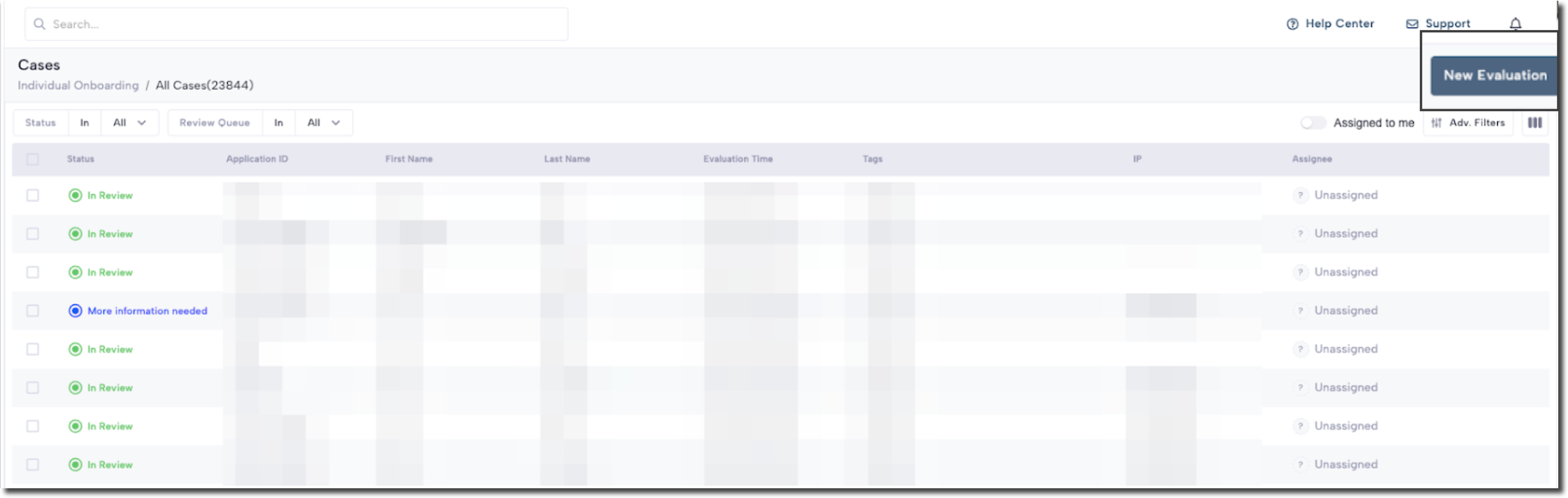
Go to Cases > All Cases.
-
Click New Evaluation.
- On the evaluation form, enter the following information:
- ID: A unique identifier for the evaluation.
- Timestamp: The time when the evaluation will run.
- Personal Details: The consumer's PII such as name, address, and national ID.
- Account Information: The consuemr's bank account and routing number.
- Document Verification: Configuration options for the DocV identity check.
Note:
The fields on the evaluation form may vary depending on the use case.
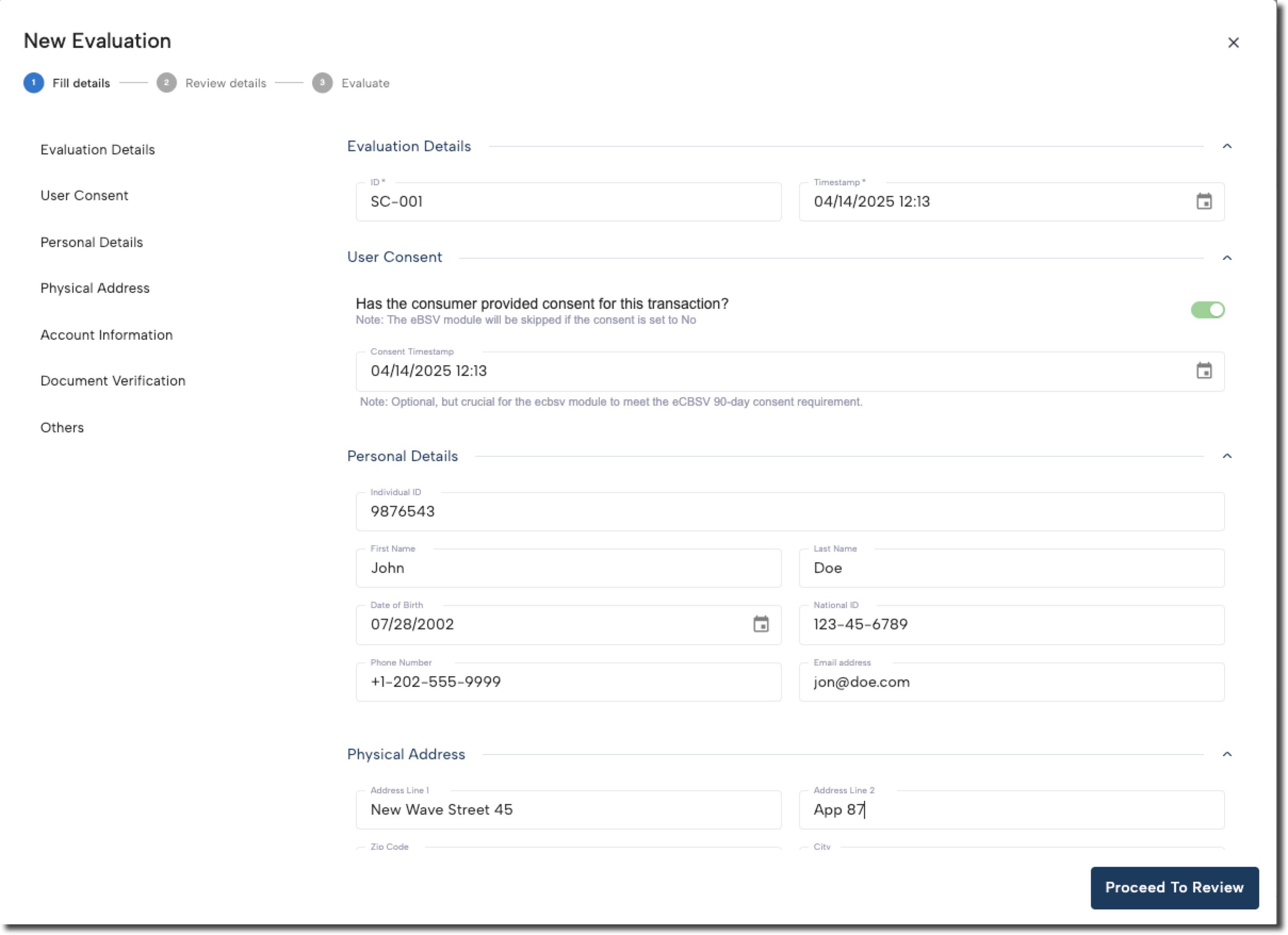
- Click Proceed To Review.
Review and run the evaluation
On the Review Details menu:
- Review all input fields and confirm the selected workflow is the correct Live Workflow version.
- Click Run Risk Evaluation.
The system will process the input using the live risk workflow associated with the use case evaluations typically return results within a few seconds.
Next steps
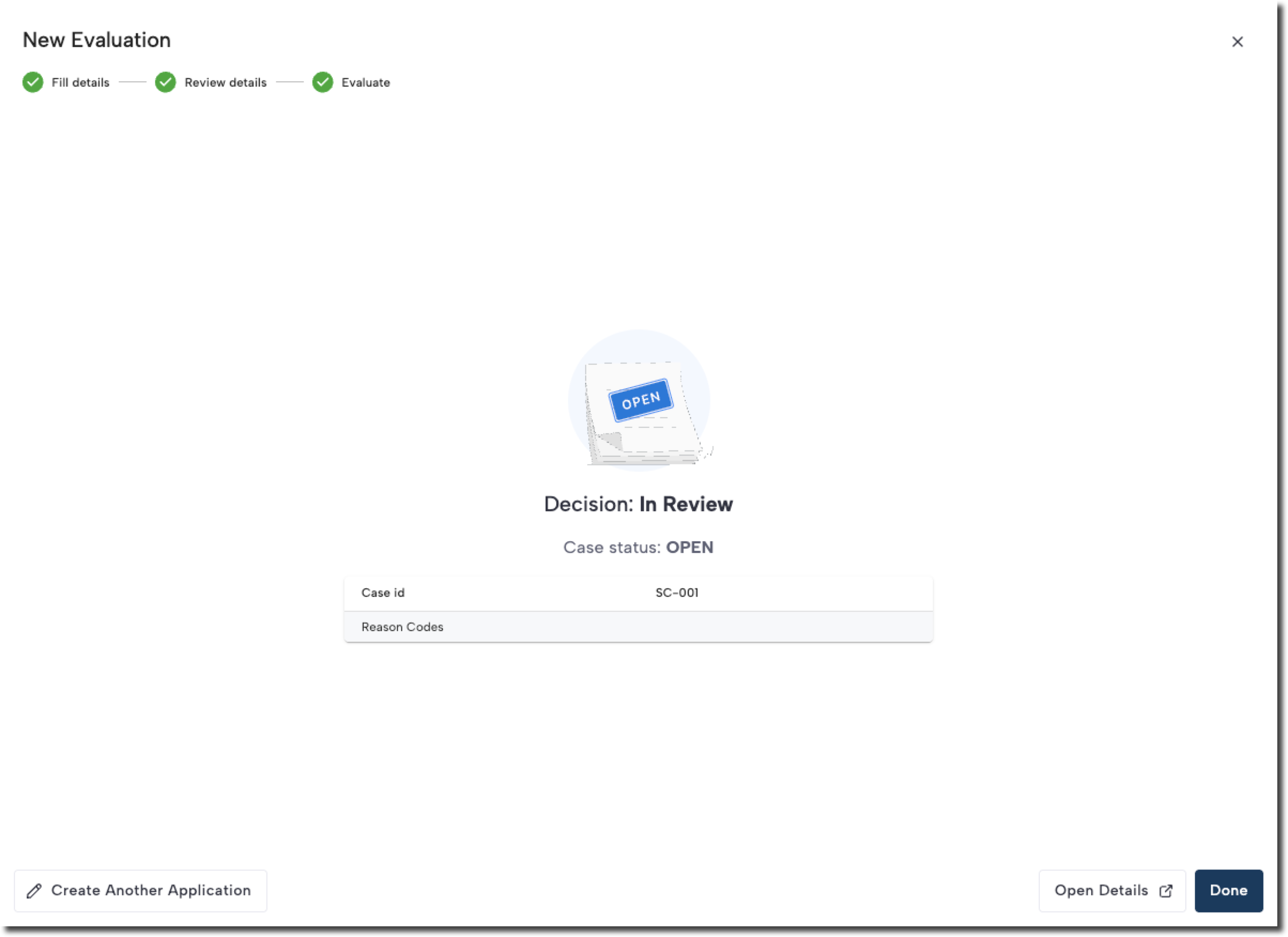
After the evaluation is complete, the results are listed with a Decision, Status, and any associated reason codes. You can then perform any of the following actions:
- Click Done to close the case.
- Click Open Details to review additional case details or perform a manual review.
- Click Create Another Application to create a new application based on the results.
Updated 5 months ago
Did this page help you?