

Capture App
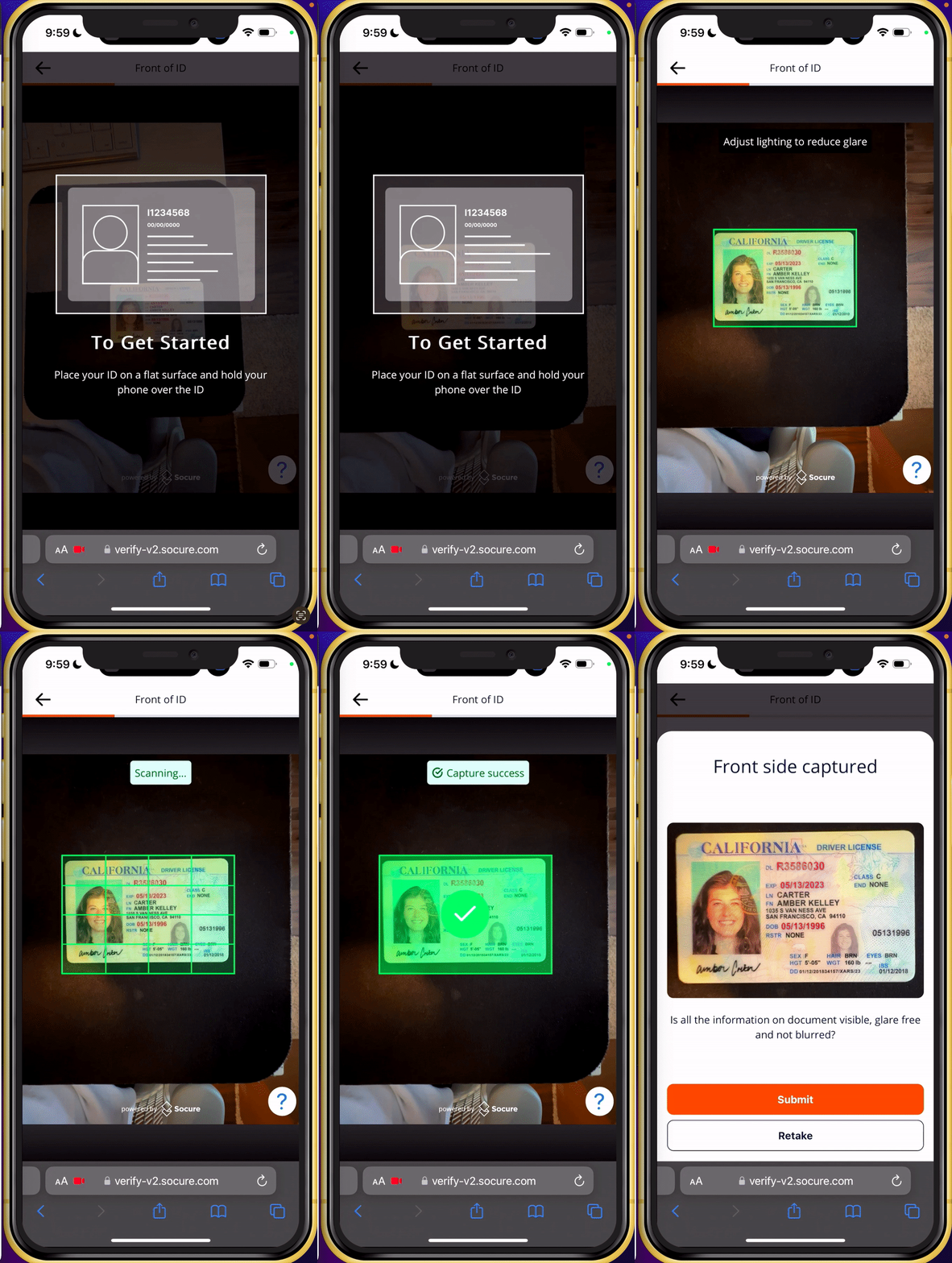
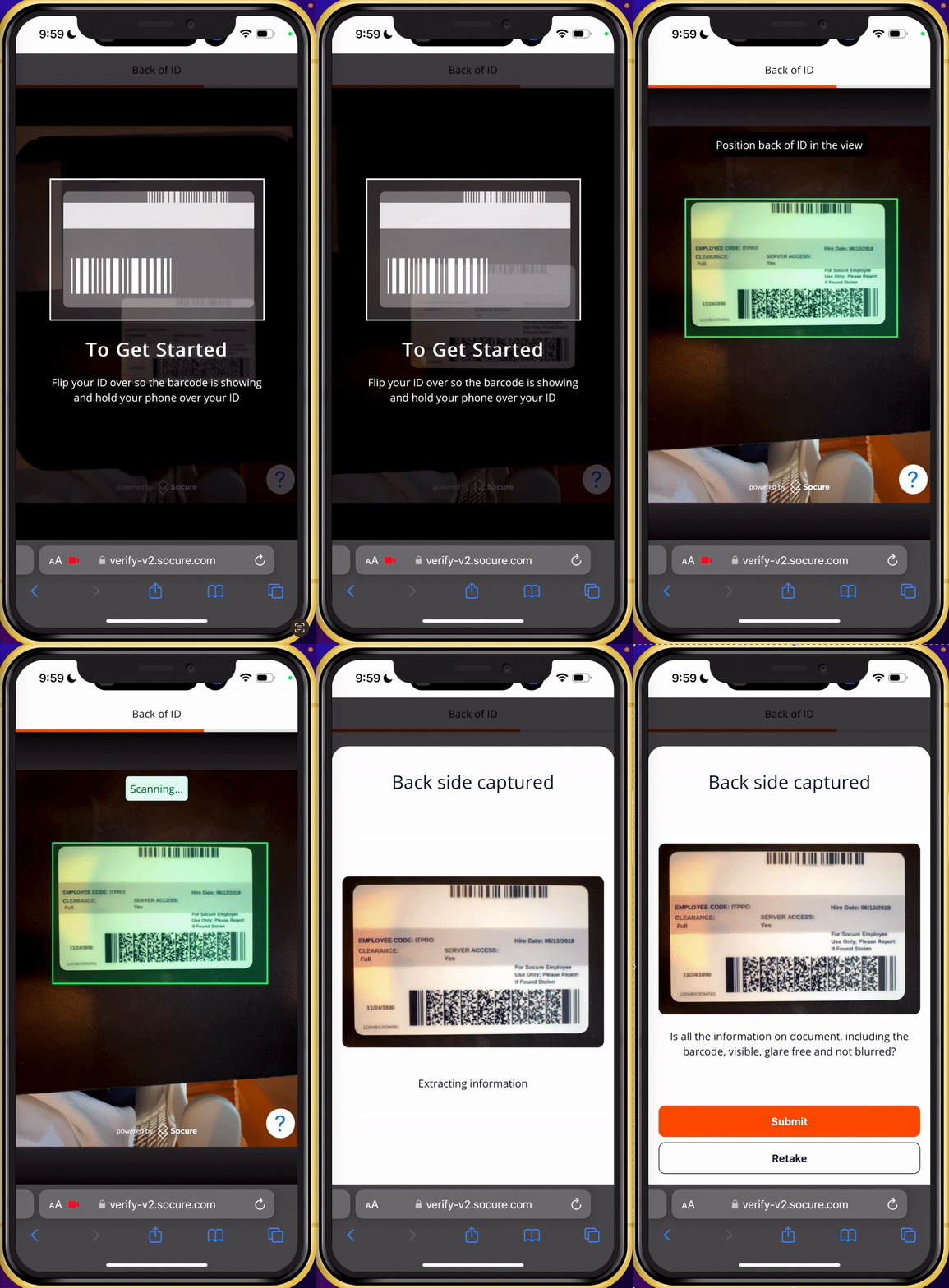
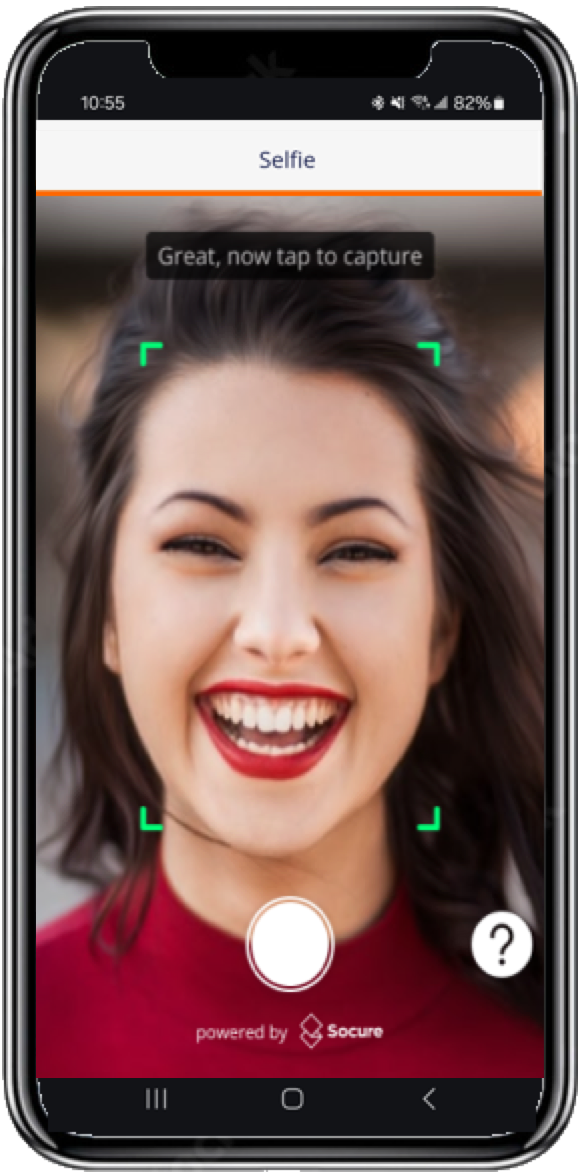
Discover how the Capture App guides consumers through document and selfie capture with real-time quality checks across iOS, Android, and Web.
What is the Capture App?
The Capture App includes a customizable UI workflow, or flow, that allows you to update the look and feel of the document capture and image process by using the Capture App settings on the DocV App page in RiskOS™.
Key features
- Step-by-step capture for government IDs, documents, and selfies.
- In-flow guidance & validation to improve first-pass success.
- Works in native mobile apps and mobile web (with a desktop→mobile handoff for web).
- In-flow guidance & validation to improve first-pass success.
How it fits in RiskOS™
- Your server calls the Evaluation API to start a DocV workflow.
- At the Document Request step, RiskOS™ returns a capture link, QR code, or token for the user.
- The user completes the image capture process in the Capture App.
- Once capture is finished, RiskOS™ resumes the workflow, runs DocV, and returns the final verification results.
About the Web SDK handoff
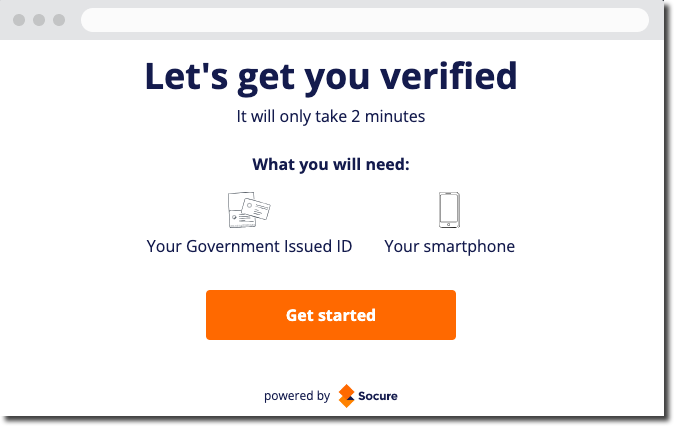
For DocV Web SDK customers, your Capture App integration includes a handoff component with a customizable user interface. When you need to verify a consumer's identity on your webpage, the handoff component enables you to initiate a document request that redirects the consumer to the document capture and upload process on their mobile device through an SMS text message or QR code.
When accessing the handoff page on a mobile device, the consumer sees a button to open the Capture App in a new tab.
You can update the look and feel of the handoff component by using the setting on the Handoff tab on the DocV App page in RiskOS™.
Localization:
You can configure the Capture App UI language per transaction in the Evaluation request. If omitted, the default is United States English. See Language Options for more information.
Integration and setup
Customization and branding
Troubleshooting
Cannot capture documents or access the camera
The consumer denied camera permission, or browser, device, or iframe policies are blocking camera access.
- Ask the consumer to allow camera access when prompted.
- Serve the page over HTTPS so browsers permit camera usage.
- Confirm the consumer is on a supported browser: Chrome, Safari, or Firefox (mobile supported).
- If you load the Web SDK inside an iframe, include permissive sandbox flags:
<iframe sandbox="allow-same-origin allow-scripts allow-camera"></iframe>- If you use embedded webviews, confirm they support
getUserMedia. See iOS WebView Integration.
Camera feed shows a play or pause icon
On some devices in low-power mode, the browser overlays a transient play icon on video elements. This is device and browser behavior that you can't disable. The overlay is temporary and doesn't affect capture or verification. Advise consumers that the icon is expected, or suggest disabling low-power mode.
Crashes or a black screen during capture
While uncommon, some devices crash or freeze due to OS or browser version, device capabilities, or low memory. Recommend these steps to the consumer:
- Update the device OS and browser to the latest version.
- Close unused apps and browser tabs to free memory.
- Clear the browser cache and reload the Capture App page.
- Restart the device, then retry the capture flow.
FAQs
Do the SDKs validate images at capture time?
Yes. The Capture App guides consumers and applies immediate quality checks — framing, glare, blur, and document presence — before submitting images to backend verification. The app may prompt consumers to retake an image to improve quality, which reduces downstream failures and abandonment.
Related resources
Updated 2 months ago