

Configure Okta with Socure Custom IDV
Set up a Custom Identity Verification (IDV) provider in Okta that uses Socure as the identity-proofing vendor, so Okta can route users through a Socure verification flow.
Okta supports Custom Identity Verification (IDV) providers that call an external identity-proofing vendor over OAuth 2.0 / OpenID Connect. This guide shows you how to configure Socure as that vendor. Once configured, Okta can route users through a Socure verification flow — for example, during authenticator enrollment or password recovery.
Note:
The URLs in this guide use the placeholder
<your-okta-domain>. Replace it with your own Okta org subdomain everywhere it appears (for example,https://<your-okta-domain>-admin.okta.com/...). If you use a custom Okta domain such aslogin.yourcompany.com, use that instead. Always point to your own Okta environment, not any sample domain shown in a screenshot.
How it works
- Okta starts a verification when a policy rule requires it (for example, authenticator enrollment or password recovery).
- Okta redirects the user to Socure using the OAuth 2.0 / OIDC endpoints you configure.
- Socure runs the workflow you scoped the integration to and returns the result to Okta's callback URI.
- Okta continues or blocks the action based on the verification result.
Prerequisites
- Okta administrator access — a role that can manage identity providers and authentication policies.
- A Socure account with at least one LIVE workflow. You grant the integration access to specific workflows in the RiskOS™ Dashboard.
- A test user and a test user group to scope the policy during validation.
- A Client ID and Client Secret issued by Socure. You create these in the next step.
Step 1: Note your Okta redirect URI
Okta uses a fixed callback URI for identity-verification providers. You need this URI to create the Socure credentials in the next step.
Standard Okta domain:
https://<your-okta-domain>.okta.com/idp/identity-verification/callbackCustom Okta domain:
https://login.yourcompany.com/idp/identity-verification/callbackStep 2: Create Socure credentials
Each integration uses a Client ID and Client Secret scoped to one or more of your Socure workflows.
- In the RiskOS™ Dashboard, go to Developer Workbench > API & SDK Keys.
- In the Okta Keys section, click Create Okta Key.
- Under Workflows, select one or more LIVE workflows to grant the integration access to. Each selected workflow is mapped to an
idv_flow_<workflow_name>scope. - Under Redirect URIs, enter your Okta redirect URI from Step 1 (one redirect URI per line).
- Click Create.
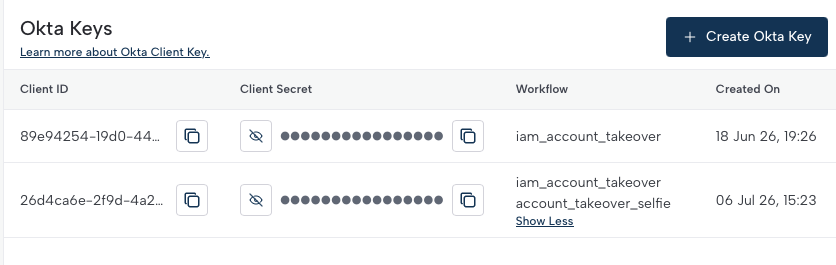
Socure generates the key and displays its Client ID, Client Secret, and associated Workflow. Copy both values — you enter them in Okta in the next step.
Note:
The Client Secret is shown so you can copy it. Store it securely and treat it like a password. If you lose it, delete the Okta Key and create a new one.
Step 3: Create the custom IDV in Okta
- Sign in to the Okta Admin Console.
- Go to Security > Identity Providers, or open:
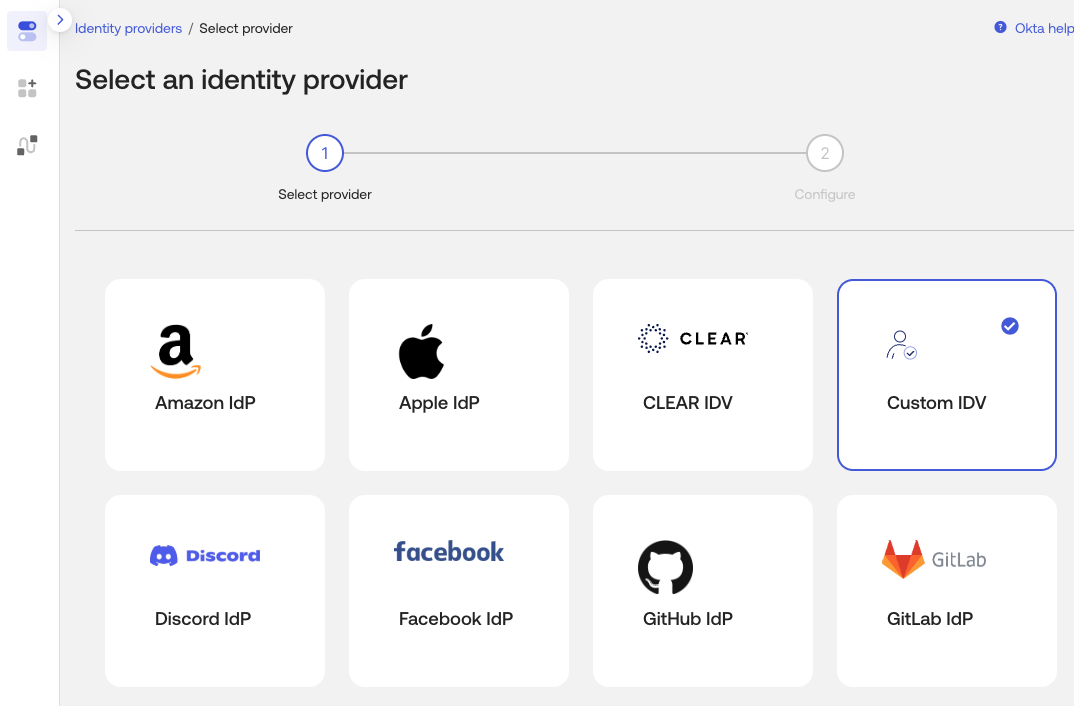
https://<your-okta-domain>-admin.okta.com/admin/access/identity-providers/add - Click Add identity provider and choose Identity Verification (Custom IDV).
General settings
| Field | Value |
|---|---|
| Type | IDV_STANDARD |
| Protocol | ID_PROOFING |
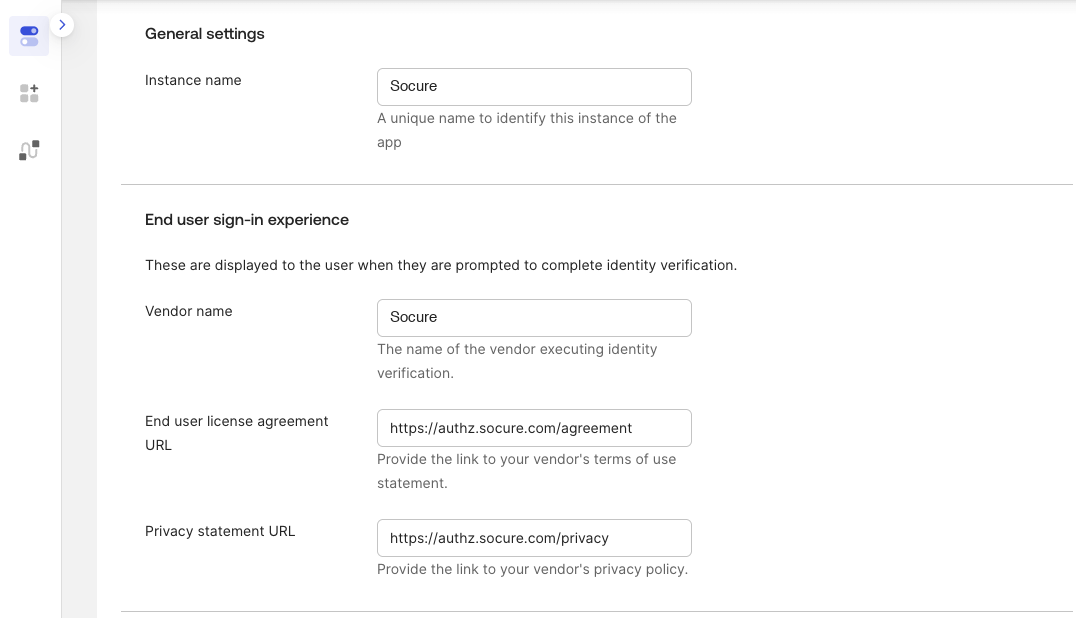
| Label / Name | A display name, for example "Socure IDV" |
| User Sign-in Experience | The name end users see (for example, "Socure IDV") |
| Agreement / Terms of Use URL | https://authz.socure.com/agreement |
| Privacy Policy URL | https://authz.socure.com/privacy |
Credentials
| Field | Value |
|---|---|
| Client ID | The Client ID from Socure |
| Client Secret | The Client Secret from Socure |
Scopes
Enable these scopes. Replace <workflow_name> with your Socure workflow name:
openidprofileidentity_assuranceidv_flow_<workflow_name>[:<workflow_version>]
Note:
The
:<workflow_version>suffix is optional. The workflow name must match the workflow you granted access to when you created the Okta Key.
Endpoints
| Field | Value |
|---|---|
| Issuer | https://authz.socure.com |
| PAR Request URL | https://authz.socure.com/oauth2/v2/par |
| Authorize URL | https://authz.socure.com/oauth2/v2/authorize |
| Token URL | https://authz.socure.com/oauth2/v2/token |
| JWKS URL | https://authz.socure.com/.well-known/v2/jwks.json |
Additional settings
| Setting | Value |
|---|---|
| Provisioning Policy | DISABLED |
| Account Link: Action | AUTO |
| Account Link: Match Type | USERNAME |
Click Save to create the custom IDV.
Step 4: Map profile attributes
Okta sends user profile attributes to Socure during verification.
- Open the custom IDV you created.
- Go to the Attribute Mapping section.
- Confirm the default attributes are mapped — typically given name (
givenName) and family name (familyName). - Add any additional attributes your Socure workflow requires.
Step 5: Add an authentication policy
Attach Socure verification to a policy rule to control when Okta requires it.
- Go to Security > Authentication Policies, or open:
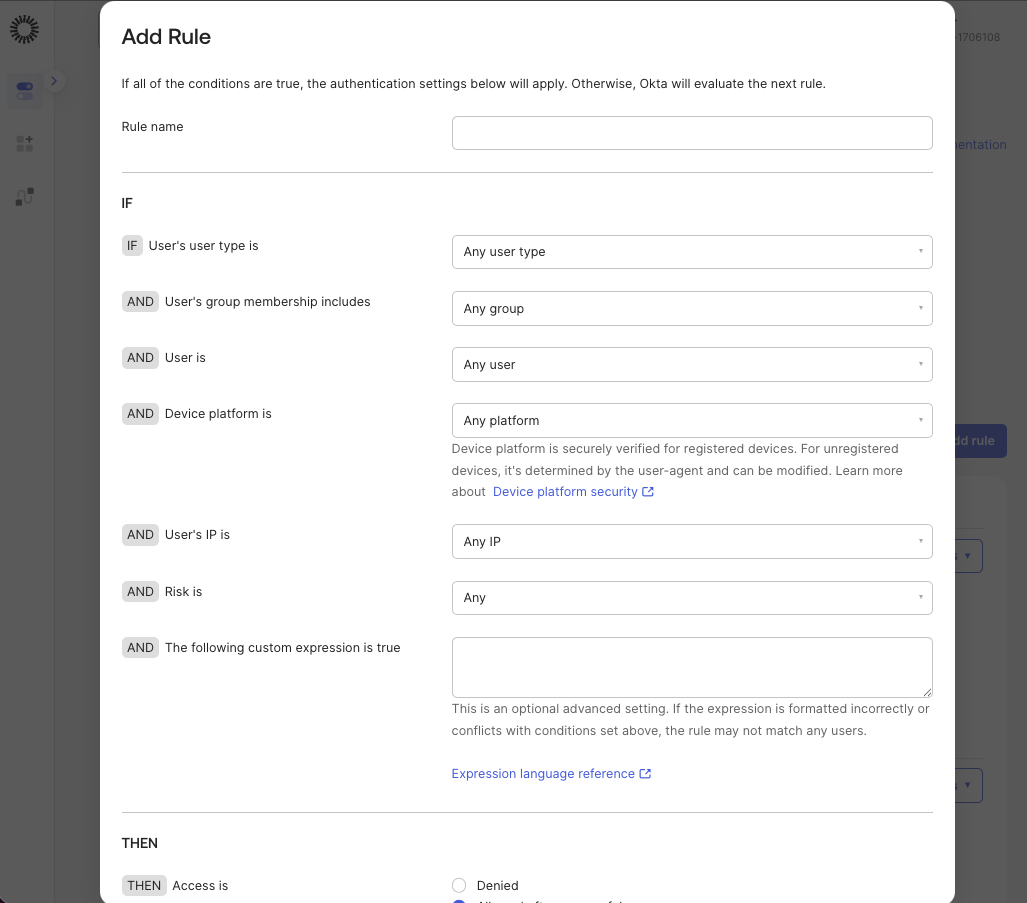
https://<your-okta-domain>-admin.okta.com/admin/authn/authentication-policies - Open the relevant policy — or create one — then click Add a rule.
Rule settings
| Setting | Value |
|---|---|
| Rule Name | A descriptive name, for example "Require Socure IDV on enrollment" |
| Priority | Set relative to your existing rules |
| Status | ACTIVE |
Conditions
| Condition | Value |
|---|---|
| Group | Your test user group — expand to production groups after validation |
| Network | ANYWHERE — adjust to your requirements |
| Risk Score | ANY |
| Expression | accessRequest.operation == 'enroll' |
Alternate expressions:
- Password reset only:
accessRequest.authenticator.key == 'okta_password' && accessRequest.operation == 'recover' - Phishing-resistant authenticator enrollment: combine the authenticator-key check with
accessRequest.operation == 'enroll'.
Actions
| Action | Value |
|---|---|
| Verification Method | The Socure custom IDV you created |
| Access | ALLOW |
Click Save.
Step 6: Test the integration
- Sign in as your test user — a member of the scoped group.
- Trigger the action that matches your expression, for example enrolling a new authenticator.
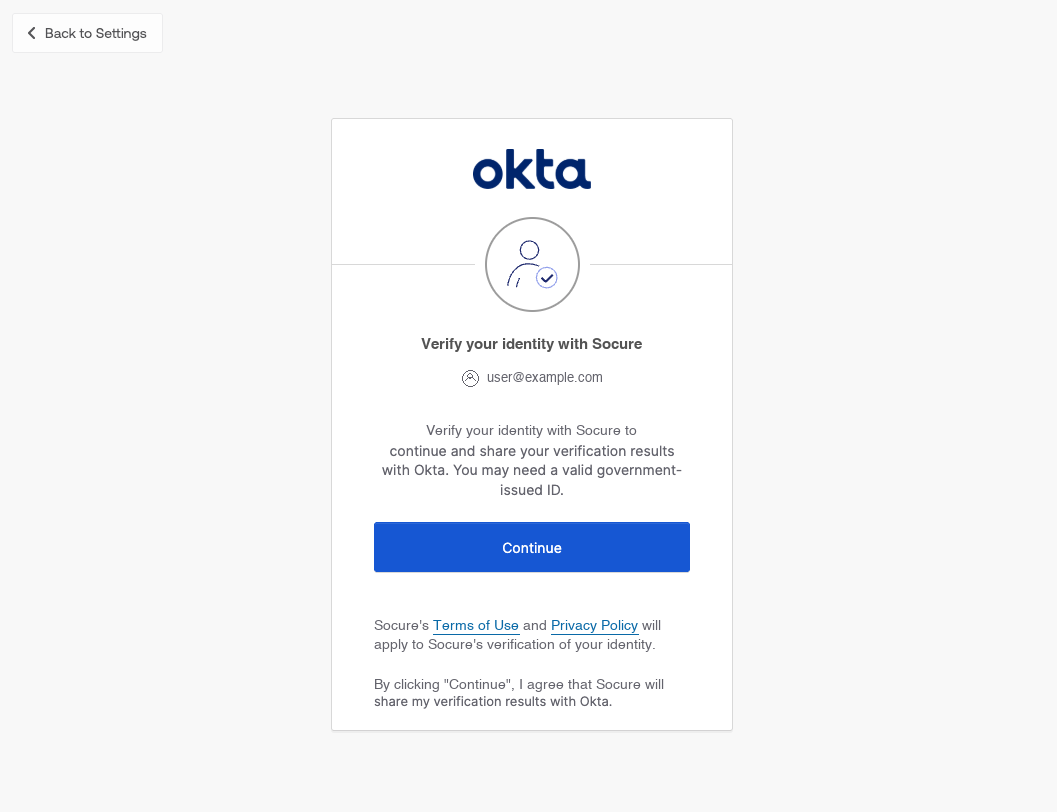
- Confirm the user is redirected into the Socure verification flow.
- Complete the flow and confirm the user returns to Okta.
- If anything fails, open Reports > System Log and review identity-verification events.
Troubleshooting
| Symptom | What to check |
|---|---|
| Verification never triggers | The rule is ACTIVE, the test user is in the scoped group, and the expression matches the action. |
| User can't complete verification | The Client ID and Client Secret are correct, and the redirect URI is allowed on the Socure Okta Key. |
| Wrong verification method runs | The rule's Verification Method points to the Socure custom IDV (protocol ID_PROOFING). |
| Scope or authorization errors | All four scopes are present, including idv_flow_<workflow_name> with the exact workflow name you granted. |
| Errors in the flow | Review Reports > System Log for identity-verification events. |
Settings summary
Admin Console URLs (replace <your-okta-domain>):
- Add identity provider:
https://<your-okta-domain>-admin.okta.com/admin/access/identity-providers/add - Authentication policies:
https://<your-okta-domain>-admin.okta.com/admin/authn/authentication-policies
General settings
| Field | Value |
|---|---|
| Type | IDV_STANDARD |
| Protocol | ID_PROOFING |
| Agreement URL | https://authz.socure.com/agreement |
| Privacy URL | https://authz.socure.com/privacy |
Scopes
openid, profile, identity_assurance, idv_flow_<workflow_name>[:<workflow_version>]
Endpoints
| Field | Value |
|---|---|
| Issuer | https://authz.socure.com |
| PAR Request URL | https://authz.socure.com/oauth2/v2/par |
| Authorize URL | https://authz.socure.com/oauth2/v2/authorize |
| Token URL | https://authz.socure.com/oauth2/v2/token |
| JWKS URL | https://authz.socure.com/.well-known/v2/jwks.json |
For questions about credentials or workflow configuration, contact your Socure representative.
Related
Updated 7 days ago