

Case Download Options
Download raw response data and case reports from RiskOS™ Case Management for offline analysis and compliance documentation.
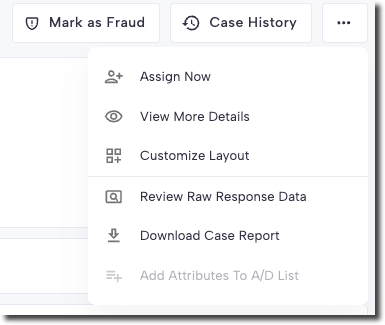
Raw Response Data
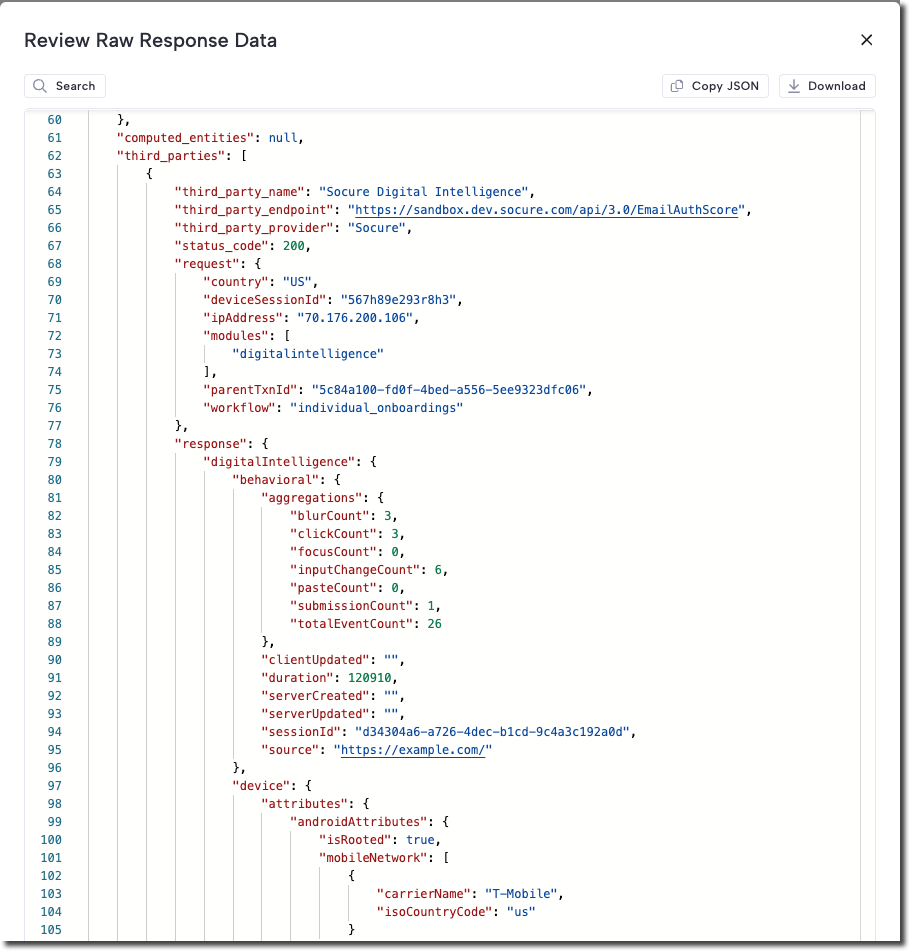
Raw Response Data contains the full system-generated output after a case is processed through a workflow. This includes:
- Workflow output fields
- Enrichment service results
- Reason codes
- Decisions
On the Raw Response Data page, you can:
- Search: Find specific fields or text within the response.
- Copy JSON: Copy the raw response as text.
- Download: Save the response as a JSON file.
Much of the information in Raw Response Data can also be displayed as tiles in the Case View. If you need specific data points outside of the raw file, contact the RiskOS™ Support team.
Note:
The
statusandsubstatusvalues represent the current state and decision history of a case. These values may appear differently between the API response and the View Raw Response Data feature. Always refer to the API Reference as the authoritative source for structure and field definitions.
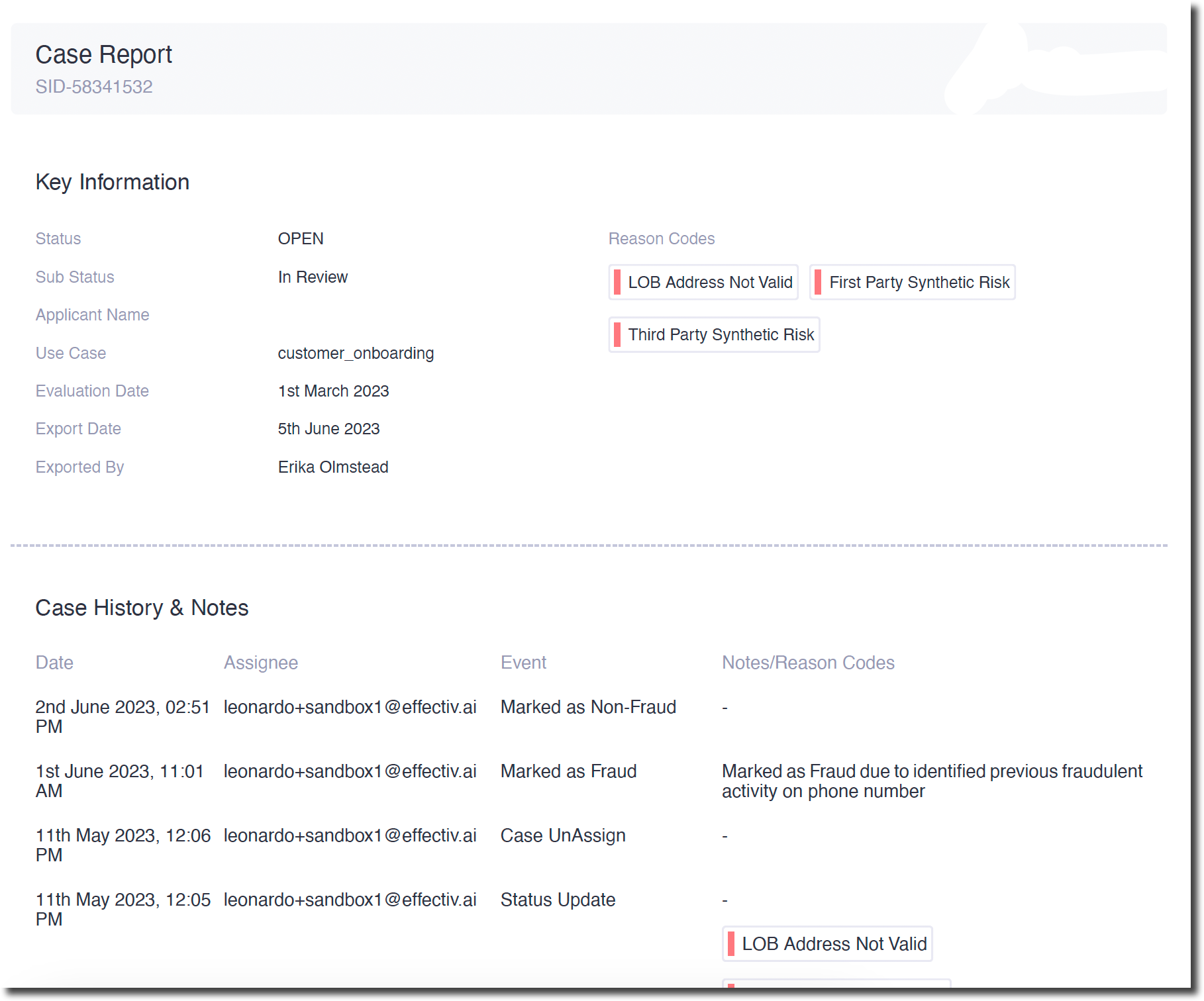
Case Report
The Case Report is a downloadable PDF that includes:
- Tile View: Key case details at a glance
- Case History: A record of status changes and decisions
- Raw Response Data: System-generated case information
This comprehensive report is useful for record-keeping and analysis.
Updated 6 months ago