

Partner Ecosystem
Discover how RiskOS™ Partner Ecosystem integrations connect third-party data providers into your fraud prevention and compliance workflows.
RiskOS™ empowers customers to choose to use the data they want within their fraud and risk strategies. We know that no two customers have the exact same needs, so we've partnered with the best data providers in the industry to make their solutions available within RiskOS™.
How do partner products work in RiskOS™?
We integrate partner products & solutions into the RiskOS™ platform for usage within workflows and case management, where they can be initiated within a Workflow via an Enrichment Step.
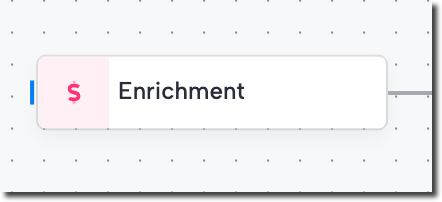
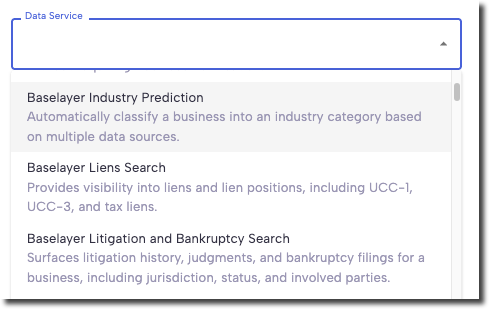
Within the enrichment step, a user can select the product they would like to utilize in the Data Service dropdown. This list contains both Socure products as well as our Partner Ecosystem services.
When a workflow reaches this Enrichment step, it will initiate an API call to the selected partner. The response that the service returns can be used in subsequent workflow steps.
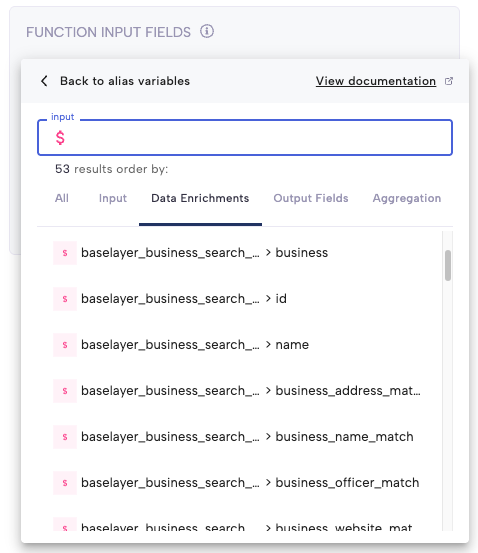
Data from our partners is found under the Data Enrichments tab in the variable browser. In the example above, the user can access Baselayer's Business Verification data through the Data Enrichment tab. They can choose to use any of the available variables that are returned as part of that product's API response.
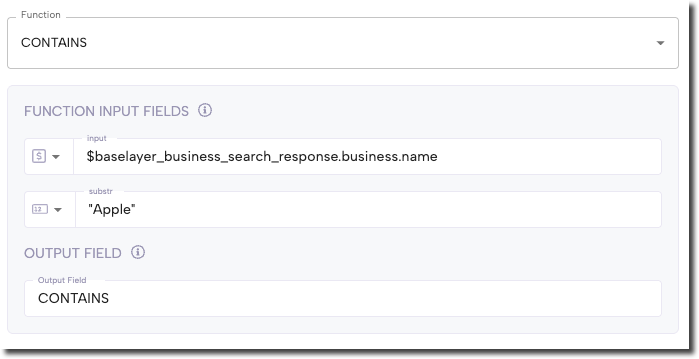
Here you can see that the user has chosen to write a function to check if the business name returned by Baselayer contains the word "Apple". Based on whether that function returns TRUE or FALSE, the user can decide what actions they want to take in subsequent workflow steps.
Putting it all together in simplistic example would look like this:
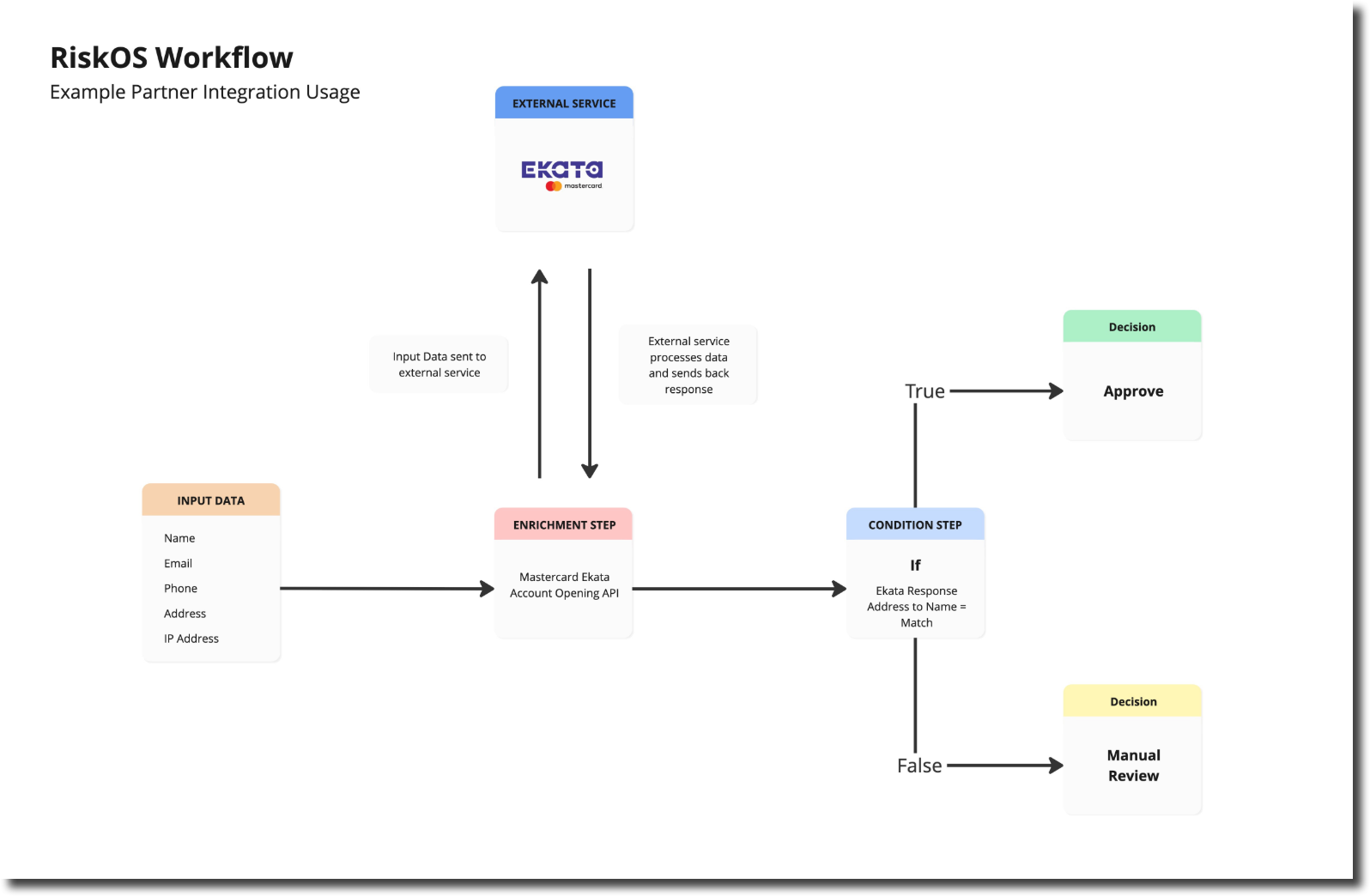
In reality, workflows often contain numerous enrichment steps, and conditions are built using much more advance queries. Services can be stacked together to be used in tandem, or once service can’t deliver the response we’re looking for, we can waterfall to other services.
How are partner products shown in RiskOS™ Case Management?
While the data that is returned by external services is used within a workflow, a user isn’t going to go to a workflow in order to see the result. Rather, we display the responses in our Case Management system within UI tiles.
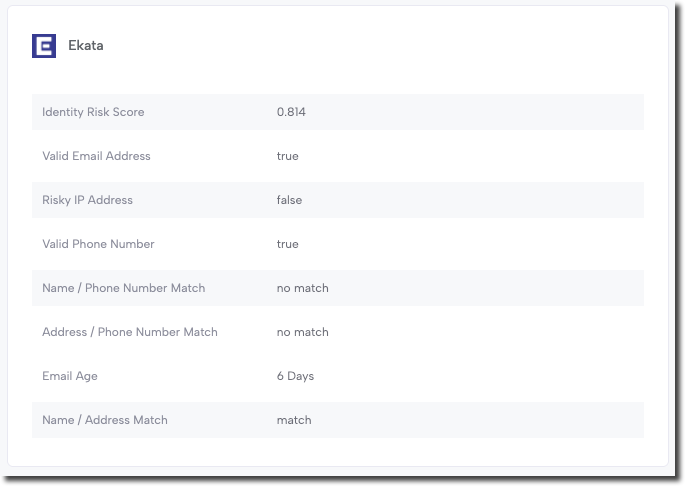
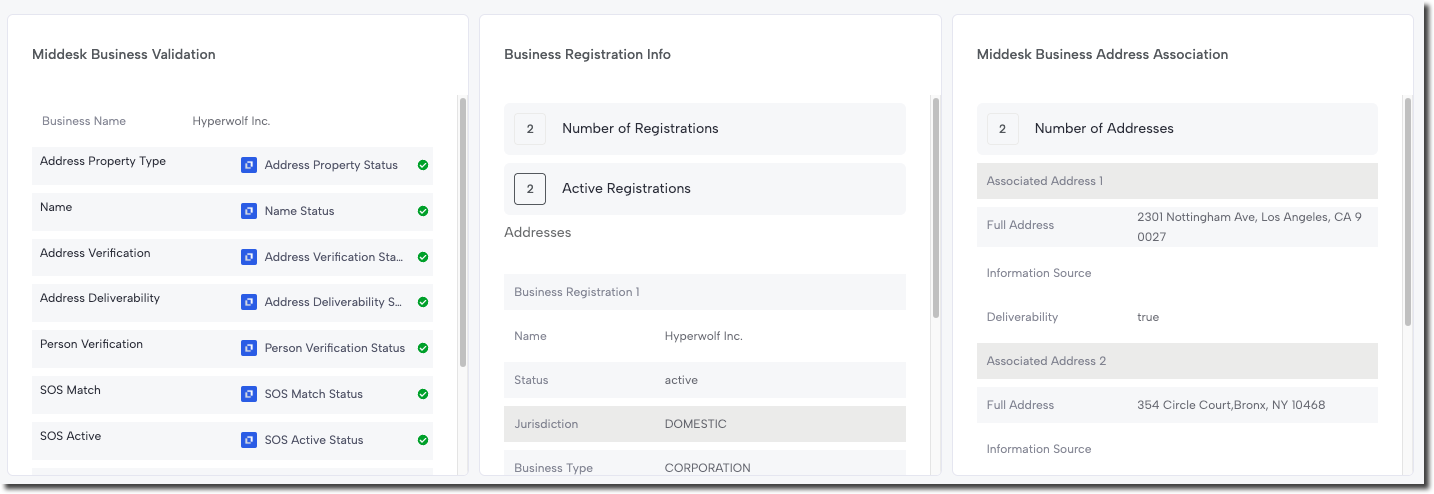
Case Management UI tiles are highly configurable, and your Solution Consultant can help tailor the UI to your specific use case. In most cases, we attempt to show the entire response within the UI. Depending on the length of the response, it might be better to use multiple tiles if the response is lengthy and categorized in a manner that can be easily split. The example below shows the response from Middesk split across multiple tiles.
Some services return responses that are as long as 3,000+ lines or more. It doesn’t make sense to attempt to display the entire response in this case; rather, we will return a subset of the response to both workflow and case management UI. Once again, a Solution Consultant can help you determine the right data to include in your case management page.
Partner Types
From a commercial perspective, RiskOS™ partner integrations fall into two different categories: Reseller and Connector.
Reseller Integrations
With reseller integrations, Socure holds a direct commercial agreement with the partner. Customers only need to sign an agreement with Socure in order to use the service, and not with the partner directly. This has many benefits for the customer, including the ability to easily try out different partner products, simplified credentialing, and a single invoice.
Connector Integrations
Connector integrations are where a customer has a direct commercial agreement with one of our pre-integrated partners for that particular service outside of any Socure/RiskOS™ agreement. In these arrangements, the customer will establish service with the connector, and either the connector or the client will provide RiskOS™ with the API credentials so that the data can be accessed on the client’s behalf.
Troubleshooting
Occasionally RiskOS™ will experience an error related to a Partner integration. This might be due to unexpected latency, service outages, or misconfigurations.
RiskOS™ will attempt to provide the most detailed error message that it can relating to an issue with a Partner integration, which should provide context for next steps. In some cases, especially relating to latency or outages, the next step is to simply wait a bit and try again. In other cases, it might involve technical teams to resolve.
If an error is recurring with no easy resolution, please reach out to our Support team or your Solution Consultant for assistance.
Updated 2 months ago