

IP Filtering (Optional)
Learn how to configure the IP addresses and domains that are allowed to call the RiskOS™ APIs and access the RiskOS™ Dashboard.
Before you start
Make sure you have the following:
How it works
RiskOS™ supports optional IP allowlisting to provide an extra layer of network-level security. Allowlisting restricts access to trusted network ranges — even if valid credentials are presented.
Note:
IP allowlisting is an optional security control, not a requirement for API or Dashboard access. It defines where requests are allowed from, while your API key defines who is making the request.
RiskOS™ allows you to define an allowlist for the following:
Define the IP addresses and domains that can call the RiskOS™ APIs.
Only API requests from IP addresses added to the list will be allowed.
Control access to the RiskOS™ Dashboard, including any components loaded from external services.
Only IPs added to the list will be allowed access.
Configure your allowlist
To configure which IPs or domains can access the APIs:
- Go to the Developer Workbench > IPs Filtering section in the RiskOS™ Dashboard.
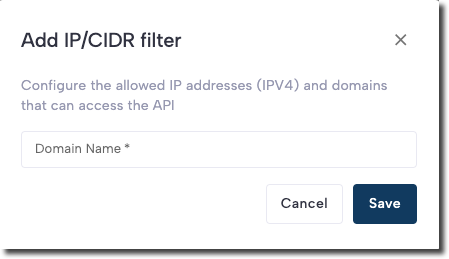
- In the API Keys IPs tab, click Add IP/CIDR filter.
- Enter the IP addresses or domains, separated by commas, into the IP / CIDR field.
- Click Save.
To configure IP or domain access to the RiskOS™ Dashboard:
- Go to the Developer Workbench > IPs Filtering section in the RiskOS™ Dashboard.
- In the Dashboard IPs tab, click Add Domain Filter.
- Enter the IP addresses or domains, separated by commas, into the IP / Domain field.
- Click Create.
Note:
IP addresses or domains added to the Dashboard IPs list apply across all environments. Make sure to add your own IP or domain first to avoid being locked out of the RiskOS™ Dashboard.
Supported formats
Allowed
You can allowlist the following types of entries:
-
Valid IPv4 addresses (e.g.,
203.0.113.42) -
Valid IPv4 addresses with CIDR masks (e.g.,
203.0.113.0/24) -
Internet-routable IP addresses only (i.e., no private or loopback IPs)
-
Valid domain names including:
www.example-domain.comhttps://www.example-domain.comhttps://example-domain.comexample-domain.com
Not allowed
The following entry types are not allowed:
-
Private or loopback IPs:
192.168.1.*localhost127.0.0.1::1/128
-
Empty strings
Remove an IP address or domain
To remove an entry from the allowlist:
- Click the trash can icon next to the entry.
- In the confirmation dialog, click Delete.
RiskOS™ removes the IP address or domain from the allowlist immediately.
Updated about 19 hours ago