

Audit Logs
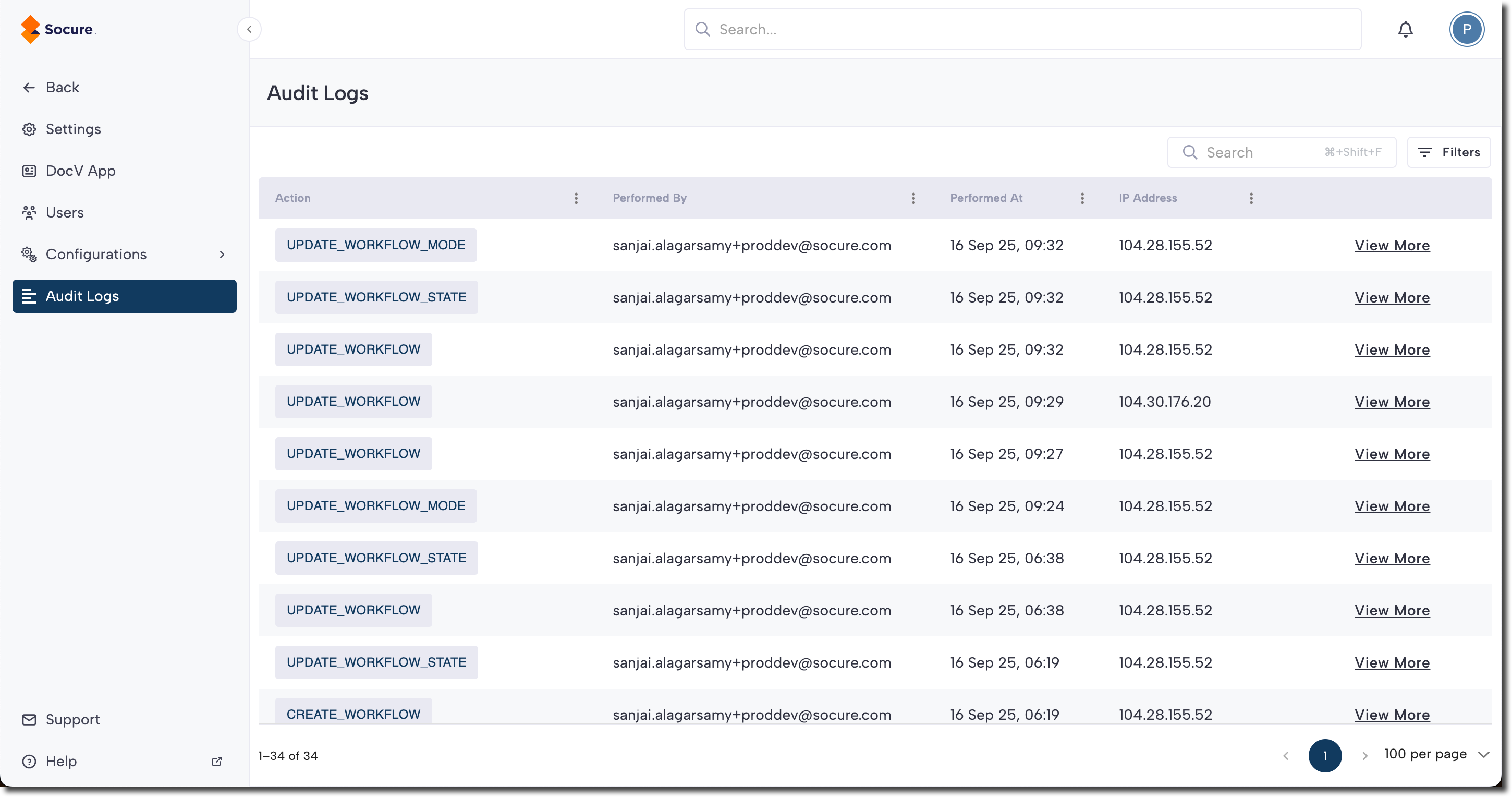
Track and review account and workflow changes in RiskOS™ using audit logs that record what changed, who made it, and when it occurred.
Changes to a specific module should be easily trackable, ensuring that all Admins stay informed about updates made by others. The Audit Log enables Admins to monitor and review these changes within the account. This feature highlights:
- What the change was
- Who made the change
- When it was made
These logs will now assist Admins or Super Admins to go back to an older working setup if the latest changes, made by another Admin, don’t work too well.
Audit Log will assist you in viewing changes made to these modules:
- Account changes
- Specific Workflow changes
Access the audit log
Access the audit log by clicking your profile menu (top right), and select Settings. Then click Audit Logs to view the page.
Updated 6 months ago
Did this page help you?