

Set up CNAM
Learn how to set up Caller ID Name (CNAM) in the RiskOS™ Dashboard to verify the registered name behind U.S. phone numbers.
Before you start
Make sure you have the following:
- Your account owner or administrator can enable this for you. If you're unsure who to contact, contact support for assistance.
- If this is your first time working with workflows, review the Workflow overview to understand inputs, enrichments, routing logic, and decisions.
How Caller ID Name works
Caller ID Name is an enrichment available in RiskOS™. It checks an input phone number against telecom-managed databases and returns the registered caller name.
Caller ID Name helps you:
- Verify identity consistency
- Detect mismatches between user-provided information and carrier records
- Create auditable signals for fraud detection and investigation
Caller ID Name returns the following fields:
callerName: Registered name associated with the phone numbercallerType: Classification of the caller (for example, individual or business)countryCode: ISO 3166-1 alpha-2 country codephoneNumber: Phone number queried, including country codevalid: Indicates whether the phone number is recognized as valid
How Caller ID Name fits into a workflow
In RiskOS™, workflows are built by connecting reusable components. Caller ID Name is added as an Enrichment step.
Once the enrichment runs, its outputs are available to downstream workflow components, including:
- Conditions
- Decision rules
- Rule score cards
- Manual review steps
- Final decisions
For more detail on these components, see What are RiskOS™ Workflows?.
Execution flow in RiskOS™
Caller ID Name runs synchronously as part of a RiskOS™ workflow. There is no user handoff or pause in execution.
flowchart LR
    A[Input]
    B[CNAM]
    C[Routing logic]
    D[Decision]

    A --> B --> C --> D
At a high level, the execution flow looks like this:
-
Input
You call the Evaluation API with a phone number and supporting identity data. -
CNAM enrichment
RiskOS™ queries telecom-managed databases and returns the registered caller name and related metadata. -
Routing logic
The workflow evaluates Caller ID Name outputs (for example, name match or mismatch). -
Decision
The workflow returns a final outcome (for example, Accept, Review, or Reject).
Workflow components used by Caller ID Name
Caller ID Name uses a subset of standard RiskOS™ workflow components.
| Component | Purpose | Typical input | Output / What to use next |
|---|---|---|---|
| Input | Start an evaluation | Phone number (E.164 format) | Workflow execution begins |
| Enrichment | Retrieve caller name | — | Caller name, caller type, validity |
| Condition | Branch based on match or validity | CNAM outputs | Route to appropriate path |
| Decision Rule / Score Card | Apply policy logic | CNAM signals | Pass/fail or cumulative risk classification |
| Decision | Emit final outcome | Routed value | Accept / Review / Reject |
Configure Caller ID Name
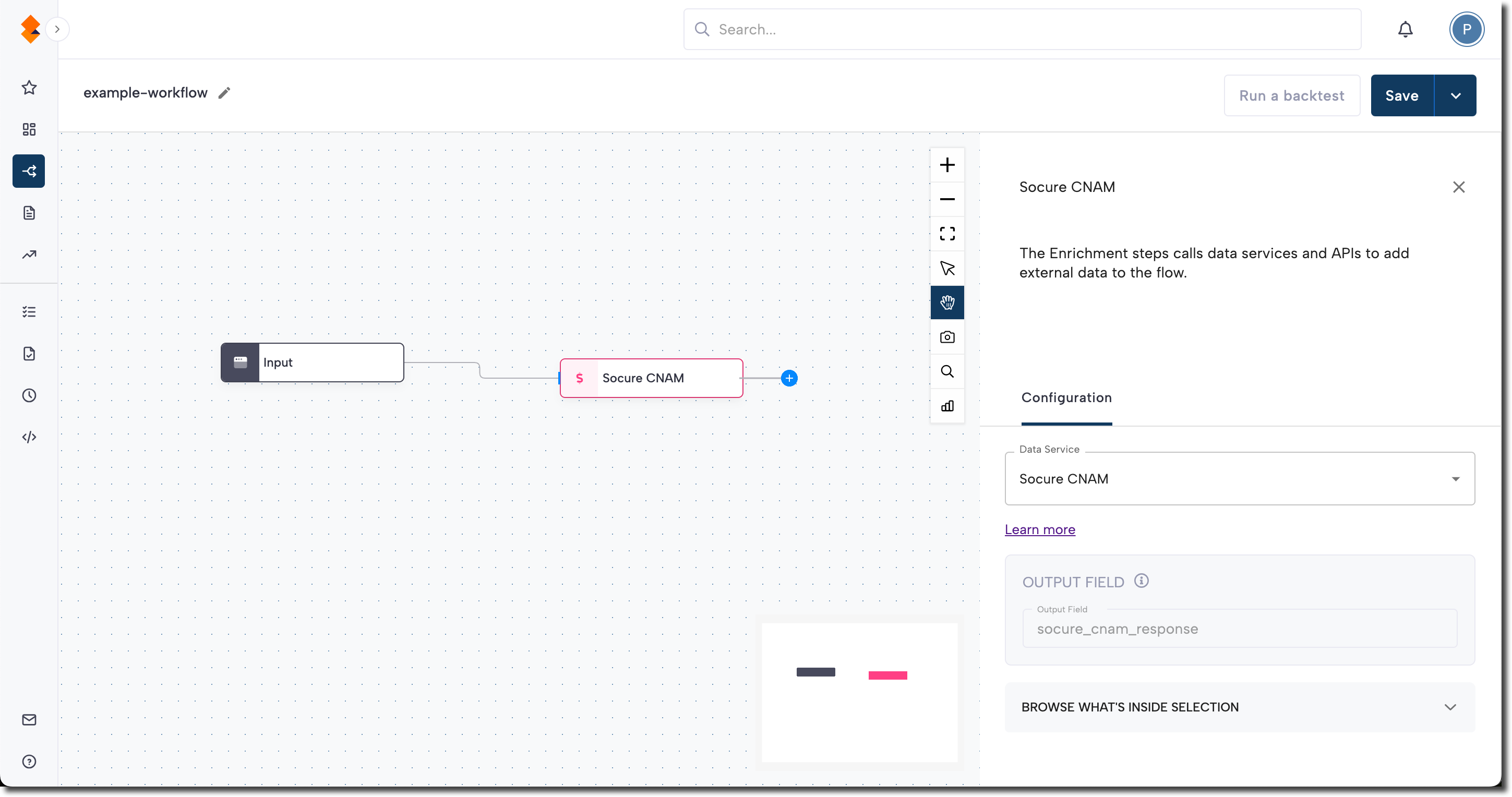
Add Caller ID Name to a workflow
- In the RiskOS™ Dashboard, go to Workflows and create a new workflow or open an existing one.
- On the workflow canvas, select the plus (+) icon.
- Add an Enrichment step.
- Select CNAM.
Note:
We recommend adding CNAM after phone verification but before final risk decisioning.
Configure inputs and routing
Caller ID Name requires a phone number in valid E.164 format. Additional identity attributes (such as name) are optional but recommended for routing and matching logic.
Common routing patterns include:
- Name mismatch: Route to manual review or higher-risk path
- Name match: Strengthen confidence in identity
Routing strategies should align with your organization’s fraud policy and risk tolerance.
Save and publish
Once your workflow is configured, publish it to go live.
Workflow testing checklist
Use this checklist to confirm accuracy, resilience, and completeness before going live.
Updated about 19 hours ago